
Playbooks· 17 min read
We Reviewed The 5 Best Clay Alternatives Of 2026
Leaving Clay over credit costs or the learning curve? Compare 5 Clay alternatives, from Swan, which builds your GTM workflows for you, to data-only tools.
 Amos Bar-JosephCo-Founder & CEO ·
Quick Summary
Clay is one of the most powerful GTM data tools on the market. It’s also one of the hardest to run. Teams leave for two main reasons: an unpredictable credit bill and a learning curve that leaves every new workflow waiting on one power user or a RevOps queue.
The right alternative depends on which problem you’re solving. If you only use Clay for contact data, a cheaper data tool will do. If every new workflow waits weeks in the RevOps queue, you need a tool your whole GTM team can build in.
We compared five Clay alternatives on pricing, setup effort, who maintains the workflow, and what each one actually replaces.
| Tool | Best for | Starting price |
|---|---|---|
| Swan | Teams that want the workflow built for them | Usage-based credits, free 14-day trial |
| Apollo | Small sales teams using Clay for lists and emails | Free; paid from $49/seat/mo annually |
| Cognism | Teams leaving Clay over phone and EU data | Custom quote |
The Three Costs Of Running Clay
It’s hard to know what a month of Clay will cost before it starts. Why? Because you’re paying on two meters at once. Clay’s Launch plan starts at $185 a month for 2,500 Data Credits plus 15,000 Actions.
Then there’s the build time. Someone has to build every table and keep it running, and none of those hours show up on the invoice. Another data vendor can lower the bill, but it won’t give those hours back.
The third cost is the wait. Clay keeps the build inside one team, usually RevOps. Marketing wants a webinar follow-up play, and CS wants a renewal-risk alert. Both join the queue, and new workflows can take weeks. Meanwhile, each team works from its own lists and its own view of the account. So for each alternative, we’ll show you which costs it cuts.
Why Listen To Us?
Swan is an AI GTM engineer. Over 300 GTM organizations trust us with their signals, research, and outreach. That’s the same work you’ve built Clay tables to do.
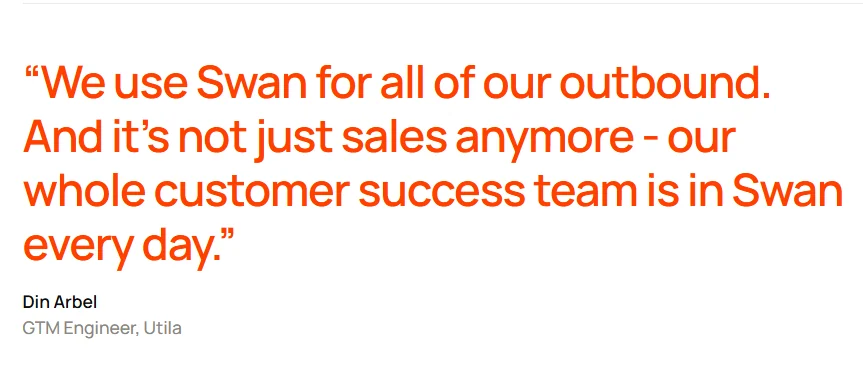
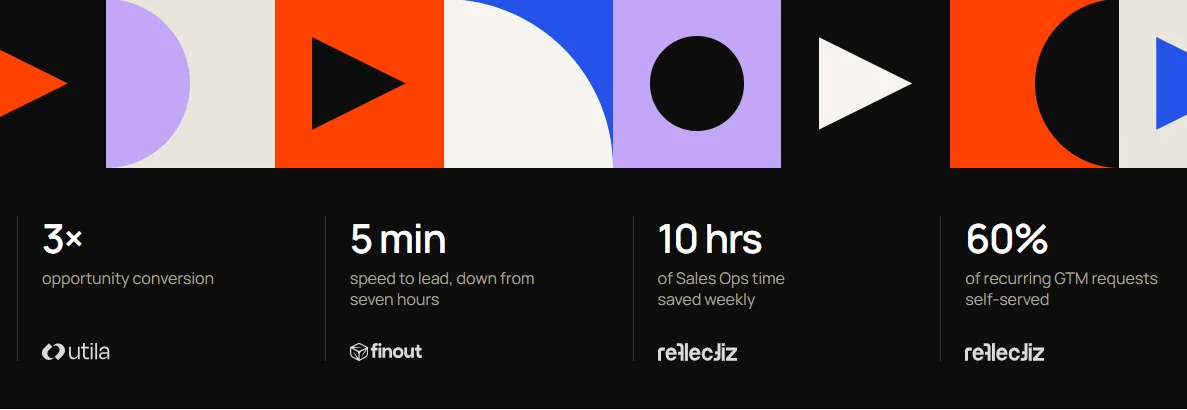
At Utila, GTM engineer Din Arbel attributes $1.8M in pipeline to Swan in four months. Opportunities now convert at 3x the rate of Utila’s outbound before Swan.
We know where Clay tables stall and what it takes to keep plays running. So we know which alternatives take that work off your plate, and which just move it.
What Is Clay?
Clay is a GTM data platform that finds, enriches, and organizes company and contact data in spreadsheet-style tables. Each row is a company or a person. Each column is a step, such as finding an email, scoring fit, or pushing the record to your CRM.
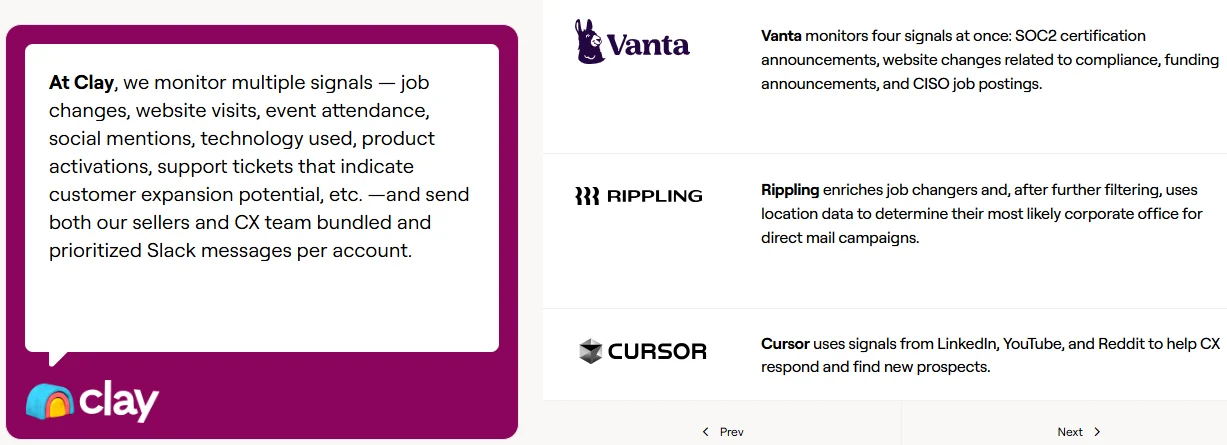
Its best-known feature is waterfall enrichment. Clay checks one data provider, and if it comes back empty, it moves to the next. Clay’s homepage puts its marketplace at 200+ data and AI providers under one contract. Claygent, Clay’s AI research agent, fills gaps by searching the web. Sculptor, its AI copilot, drafts workflows from a typed prompt.
Clay is a strong product, and GTM teams at OpenAI, Rippling, and Intercom build on it. But it hands you building blocks, not a finished workflow. Someone on your team still has to design the table, wire it to your stack, and keep it running.
Why Do Teams Switch From Clay?
On G2, Clay holds a 4.6 out of 5 rating. Yet reviewers most often tag the cons as learning curve, learning difficulty, and expense. Those complaints come down to three problems.
1. The Credit Bill Is Hard To Forecast
In March 2026, Clay split its pricing into two meters. Data Credits pay for data from third-party providers. Actions pay for the work Clay’s platform does, like enrichment runs, AI research, and sending data to other tools.
Two meters mean two numbers to track, so monthly spend is harder to plan. Unused Actions expire at the end of each billing cycle. One settings change can also rerun an entire table. A G2 reviewer says a dedupe change reran their whole workbook, even with autorun off, and burned $1,000 in credits with no clear warning.
To be fair, Clay doesn’t charge when a lookup comes back empty. It also says 90% of customers will never hit their Action limit. But a forecast is only as reliable as the person who built the table.
2. The Learning Curve Is Steep
Clay gives you a blank table and 200+ providers. Turning that into a working play takes skill. Clay’s own Clay University lists 16 courses, and its intro course is a one-week, instructor-led sprint. G2 reviewers say the curve gets steeper once workflows get advanced, especially without a background in enrichment logic.
3. Someone Has To Run The Tables
Clay is infrastructure for the operator, not a replacement for one. Most Clay setups end up with a single power user who builds, fixes, and reruns everything. Clay even lists more than 180 partner agencies you can hire to build for you.
That’s fine until your operator runs out of hours or leaves. Then plays stall, tables break, and nobody knows why. If this is why you’re looking, compare tools that run the workflow for you, as our Unify vs Clay comparison does.
The 5 Best Clay Alternatives Compared
We matched each tool to why teams leave Clay: the credit bill, the learning curve, or the upkeep.
| Tool | Who builds the workflow | Pricing model | Credit rollover | Built-in sequencing | Inbound coverage | Learning curve |
|---|---|---|---|---|---|---|
| Swan | Anyone on the GTM team, in plain English | Platform fee + shared credits | Yes, 2x monthly; uncapped annual | Email + LinkedIn | Qualification, routing, website signals | Low |
| Unify | You, through plays and a chat agent | Per seat + credits | Top-up credits only (12 months) | Email, calls, social | Website intent on Business tier | Low to medium |
| Apollo | You, with sequences and filters | Per seat + pooled credits | No | Email + dialer | Website visit signals | Low |
| FullEnrich | Not applicable (enrichment only) | Credits per result | Yes, 3 to 12 months | No | Inbound lead enrichment | Very low |
| Freckle | You, in a coding agent | Credits per output | Not published | No | No | High for non-technical teams |
1. Swan: Best for teams that want the workflow built for them
Swan is an AI GTM engineer for B2B SaaS and AI-native revenue teams. It runs on a GTM brain: shared memory of every deal, contact, and conversation across sales, marketing, and CS. Its agents monitor signals, research accounts, run outreach, and update your CRM. Clay hands you a table to build. Swan builds and runs the workflow for you.
Anyone on the GTM team can describe a play in plain English, the way they’d brief a teammate. For example: “When a target account visits the pricing page, find the buying committee, enrich their emails, and draft a sequence for review.” Swan turns that into a live workflow and keeps it running. A change is one more message, not a rebuild. RevOps keeps control: it sets the guardrails, sees what every workflow did, and decides what each one can touch. Our RevOps workflows page shows how teams use this to clear the ops backlog.
The difference shows up in build time. Brian Hernandez, GTM engineer at Finout, once spent two weeks building a closed-lost campaign in Clay earlier in his career. With Swan, a comparable campaign now takes a couple of hours. Finout also cut median speed to lead from 7 hours to about 5 minutes.
Key features
- Natural-language plays: Describe a workflow in plain English, and Swan builds it, with no tables, formulas, or node diagrams.
- Signal-triggered workflows: Starts the right play when a signal lands, such as a website visit, job change, demo request, product signup, or CRM event.
- Waterfall enrichment: Pulls emails, phones, technographics, and funding data from 40+ providers, picking the best source for each field. See how contact data enrichment works in Swan.
- Email and LinkedIn sequencing: Sends multichannel sequences on every plan, so a play runs from signal to sent message in one tool.
- Flexible approval: Sends sequences automatically or holds them for review, and reps approve, edit, or deny them in Slack or the app.
- CRM sync: Logs activity and creates records in HubSpot, Salesforce, Attio, Pipedrive, and other CRMs.
- GTM brain: Connects your CRM, calls, product data, and sequencer into one memory, so sales, marketing, and CS work from the same account history.
- Apps: Lets anyone generate apps and dashboards on top of the GTM brain, so each workflow gets an interface that fits it.
- Governance: Lets every team build its own workflows inside guardrails RevOps sets, with a record of what each one did.
Pricing
Swan charges for the GTM work it does, like research, enrichment, outreach, and CRM updates. The whole team shares one credit pool. Unused credits roll over: up to 2x your plan on monthly billing, and with no cap within the 12-month term on annual billing.
Plans run from Solo (one seat included) to a custom Scale plan, and annual billing saves up to 20%. Every new account starts with a free 14-day trial, no credit card needed.
Pros
- Plays are built in plain English, so anyone on the GTM team can create one without waiting on RevOps.
- Sequencing is included on every plan, so you don’t need a separate sending tool.
- Credits roll over, so a quiet month carries into a busy one.
- It covers inbound and outbound, including automated lead qualification, routing, and signal-based outreach.
- Swan maintains the workflows it builds, so there are fewer tables to fix and plays keep running when a team member leaves.
- Sales, marketing, and CS share one GTM brain, so no team works from a partial view of the account.
Cons
- When review is on, sequences are approved one at a time, with no bulk approval, so high-volume plays need someone to clear the queue.
2. Unify: Best for signal-led outbound teams
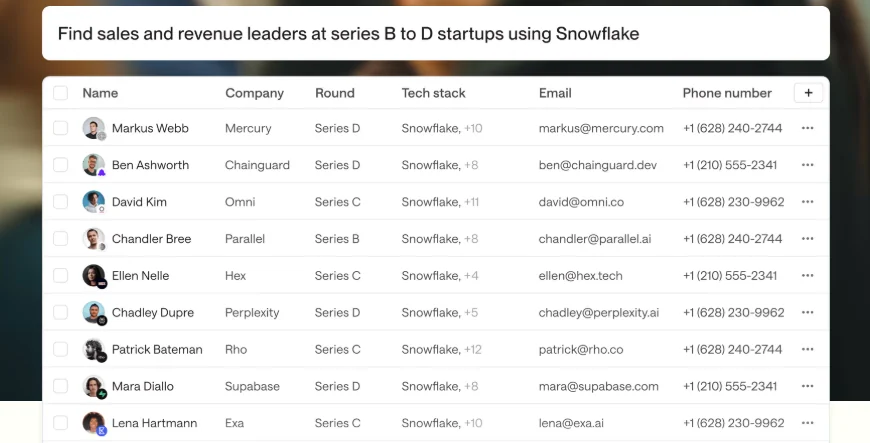
Unify is an AI outbound platform that combines B2B data, signals, sequencing, and AI agents behind one chat interface. It suits teams that want warm, signal-led outbound without building Clay tables. Unify moved to self-serve pricing in mid-2026, so smaller teams can now start without a sales call.
Its strength is outbound. First-party website intent and read-write CRM sync sit on the custom Business tier.
Key features
- Built-in B2B data: Covers 1.1B+ people and 65M+ companies from 40+ sources, with waterfall email and phone enrichment.
- Signal tracking: Watches for job changes, funding rounds, hiring, web visits, and tech-stack changes.
- Multichannel sequences: Runs email, call, and social steps, with AI-written copy.
- Managed mailboxes: Sets up sending inboxes with warm-up and rotation included.
- Plays and agents: Triggers outbound plays from signals, with a chat agent for research and setup.
Pricing
- Free: $0 for up to 3 seats, with limited credits
- Base: $20 per seat a month, with 800 credits per seat
- Pro: $60 per seat a month, with 2,400 credits per seat and a 14-day free trial
- Business: Custom, billed annually, with pooled credits
When credits run out, actions pause rather than adding overage charges. Managed mailboxes are listed on the Business tier, at $25 each per month.
Pros
- One credit type per seat, which is simpler to budget than two separate meters.
- Sequencing is included on every plan, including Free.
- Usage pauses at zero credits instead of triggering overage charges.
Cons
- First-party website intent and read-write CRM sync require the custom Business tier.
- Per-seat pricing means the bill grows with every rep you add.
- Managed sending inboxes are a Business-tier add-on, at $25 per mailbox a month.
Weighing Unify too? See our roundup of Unify alternatives.
3. Apollo: Best for small teams that used Clay for lists and emails
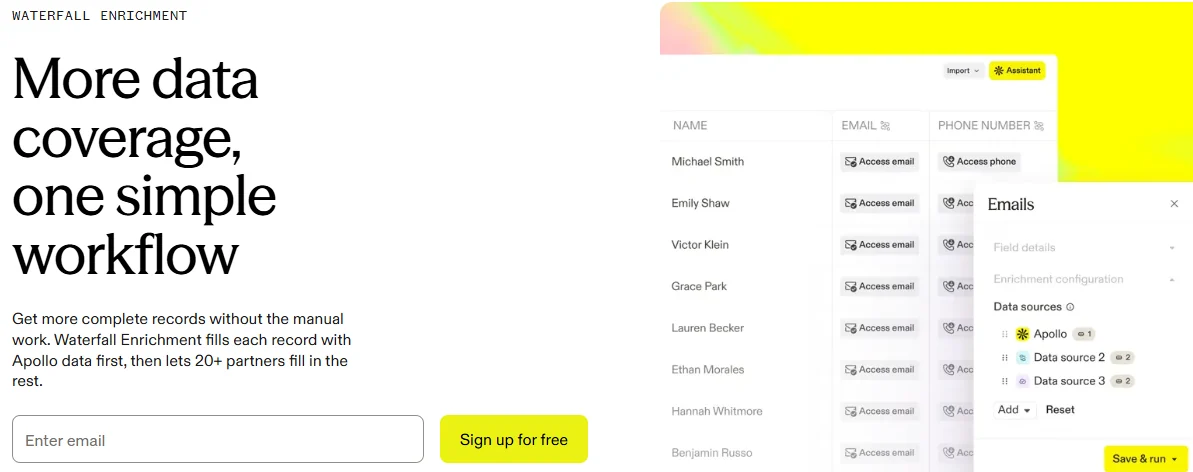
Apollo is a sales platform that pairs a contact database with sequencing, a dialer, and AI agents. It lists 240M+ contacts and 30M+ companies. If your Clay tables mostly build lead lists and find emails, Apollo covers that in one tool, with no tables to design.
The trade-off is control. You get a database and a sequencer, not a workflow builder.
Key features
- Prospect database: Searches 240M+ contacts with filters for title, company size, funding, and job changes.
- Sequences and dialer: Runs email sequences and calls, with deliverability tools like inbox rotation.
- Buying signals: Flags intent, job changes, and website visits.
- Waterfall enrichment: Fills missing emails and phone numbers from outside providers when Apollo’s data is empty.
- Chrome extension: Shows contact data on LinkedIn and company websites.
Pricing
- Free: $0, with a small monthly credit allowance and no time limit
- Basic: About $49 per seat per month annually, or $65 monthly
- Professional: About $79 per seat a month annually, or $99 monthly
- Custom: Quote-based, with SSO and dedicated support
Pros
- Combines prospect data, sequences, and a dialer, so you don’t export lists to a separate tool.
- Offers a free plan with no time limit, so you can test data quality first.
- Pools credits across the team, so heavy users can draw on a shared balance.
Cons
- Unused credits expire every billing cycle, including purchased add-ons.
- Inaccurate data is one of the most common complaints in G2 reviews.
- All seats must be on the same plan, so upgrading one rep upgrades everyone.
4. FullEnrich: Best for teams that only use Clay for contact data
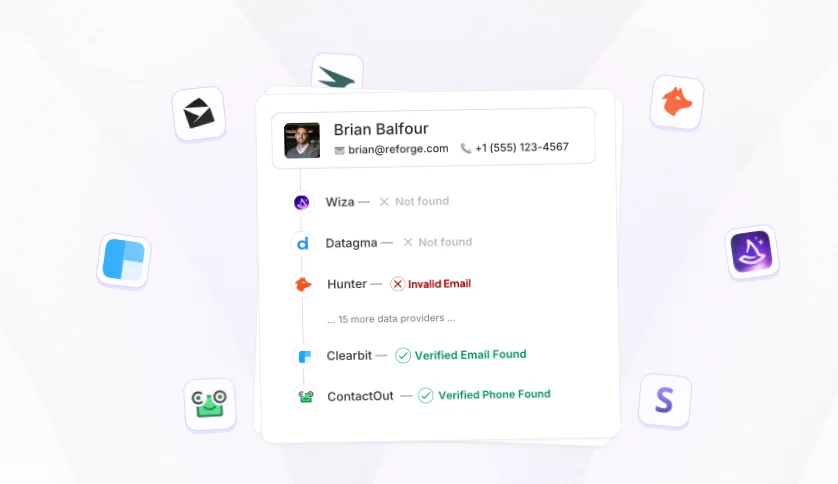
FullEnrich is a waterfall enrichment tool for work emails, personal emails, and mobile numbers. It runs each lookup through 20+ data vendors and routes it by the lead’s location. If your Clay spend went mostly to finding contact details, FullEnrich replaces that one job with simpler pricing.
It doesn’t build workflows or send outreach. Many teams even run it inside Clay.
Key features
- Location-based waterfall: Picks vendors for each lookup based on where the lead is located.
- Triple email verification: Checks every email with three verification engines and resolves catch-all domains.
- Mobile number checks: Verifies mobiles with carriers, removes dead numbers, and charges nothing for landlines.
- Integrations: Connects to HubSpot, Zapier, Make, n8n, and Clay, plus an API and MCP server.
Pricing
- Free trial: 50 credits, no credit card
- Pro: From $55 a month for 1,000 credits, scaling to $720 a month for 15,000 credits
- Enterprise: Custom
A work email costs 1 credit, a personal email 3, and a mobile number 10. You’re charged only when data is found.
Pros
- Charges only for results, with a fixed credit cost per data type.
- Includes unlimited users on the Pro plan.
- Rolls credits over for 3 months on monthly plans and 12 months on annual plans.
Cons
- Has no sequencing, so outreach needs a separate tool.
- Charges 10 credits per mobile number, so 1,000 credits cover about 100 mobile lookups.
- Offers no signals, AI research, or workflow automation.
5. Freckle: Best for GTM engineers who want to build in code
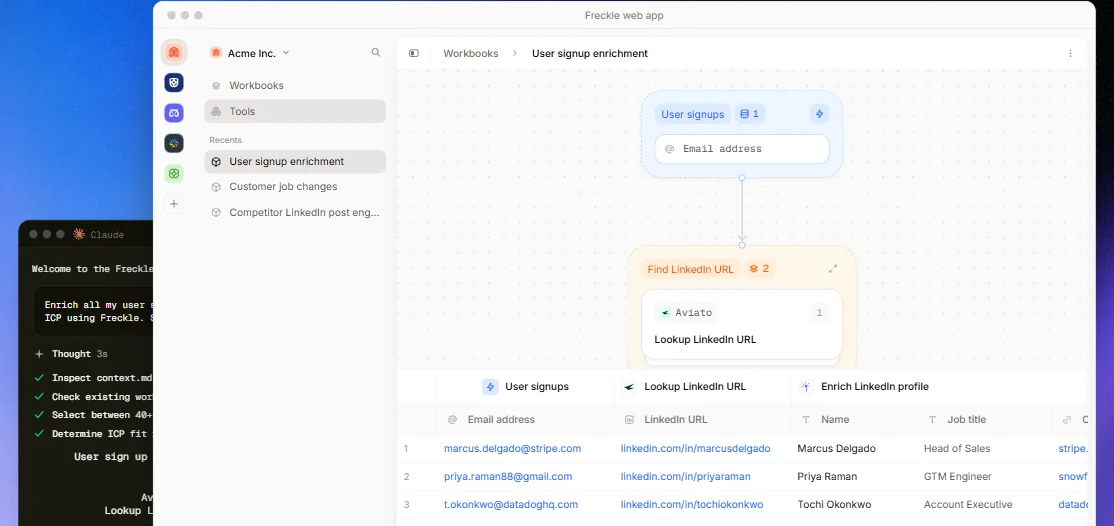
Freckle calls itself “the Clay alternative built for GTM engineers who live in coding agents.” You build workflows from the command line, using a coding agent like Claude Code or Codex. It suits technical builders who like Clay’s flexibility but want to leave the spreadsheet.
Freckle prices on outputs, with no separate Actions meter. But it still expects you to build.
Key features
- Waterfall enrichment: Runs email and phone lookups across 40+ data providers.
- Workflow pipelines: Chains steps such as scraping, enrichment, AI scoring, and pushing leads to a sequencer.
- Job-change signals: Tracks job changes and sends alerts to Slack.
- Workflow library: Offers two dozen reusable workflows to start from.
- CRM sync: Syncs records with HubSpot.
Pricing
- Free: $0 for 250 credits, unlimited seats, and 500 rows
- Build: From $99 a month, with unlimited rows, HTTP API, and your own API keys
- Enterprise: Custom, for volumes above 500,000 credits
Pros
- Charges for data outputs only, with no separate Actions meter.
- Includes unlimited seats on every plan, including Free.
- Supports your own API keys on Build, so you can use existing data contracts.
Cons
- Requires comfort with a command line and coding agent.
- Has no sequencing, so outreach needs a separate tool.
- Doesn’t publish credit amounts per tier or rollover terms on its pricing page.
Selection Criteria: How We Evaluated
We judged every tool against the reasons teams leave Clay, not against a generic feature checklist. Each tool was scored on five questions:
- Pricing predictability: Is pricing published, how many meters does it use, and do unused credits roll over?
- Setup effort: How long does it take a non-technical team member to get a first play live?
- Who maintains the workflow: Does your team build and fix it, or does the tool run it for you?
- What it replaces: Does it replace Clay’s data, Clay’s workflows, or both?
- Path to pipeline: Can it act on a signal and send outreach, or does it stop at a list or an alert?
We checked each vendor’s pricing page and product docs in October 2026, and read G2 reviews to see what real teams praise and complain about.
How to Choose the Best Clay Alternative
Start with the reason you’re leaving Clay. Then match it to the tool that fixes that problem.
- You’re tired of building and fixing tables: Choose Swan. You describe the play in plain English, and Swan builds it, runs it, and keeps it running, from signal-based outbound to sales workflow automation and CRM updates.
- Every new workflow waits on RevOps: Pick Swan. Any team can build its own plays on the shared GTM brain, inside guardrails RevOps sets.
- You mainly run signal-led outbound: Go for Unify. It pairs data, signals, and sequences and is priced per seat.
- You used Clay for lead lists and emails: Select Apollo. You get a contact database and a sequencer in one tool.
- You only need emails and phone numbers: Try FullEnrich. It charges only for results.
- You love building, just not in a spreadsheet: Use Freckle. It moves the build into a coding agent.
Whichever you pick, test it on the Clay table your team relies on most. That will show you fastest whether the tool saves hours or just moves them. For a wider view beyond Clay, compare the best sales automation tools for B2B teams.
Stop Building Tables, Start Running Plays
Clay is powerful, but it comes at a cost. You pay in unforecastable credits, in hours spent fixing tables, and in weeks spent waiting on RevOps. A cheaper data tool can lower the first cost. Only a tool that builds the workflow, and lets every team build its own, removes the other two.
That’s the gap Swan closes. You describe the play, Swan builds it, and you decide whether outreach sends automatically or waits for approval. When a signal lands, Swan researches the account, drafts the sequence, and updates your CRM. Every play draws on one GTM brain, so sales, marketing, and CS work from the same context. Your team focuses on strategy. Swan runs the pipeline.
Pick your most important Clay table, describe it to Swan in plain English, and watch it run. Keep Clay running while you compare.
FAQs
What is the best Clay alternative?
It depends on why you’re leaving. Swan is the best Clay alternative for teams that want the workflow built and run for them. Data-focused tools like Apollo and FullEnrich suit teams that only used Clay for lists or contact details.
What is the cheapest Clay alternative?
For contact data alone, FullEnrich starts at $55 a month with unlimited users, and you pay only for results. Unify’s paid plans start at $20 per seat a month. Apollo, Unify, and Freckle all offer free plans so you can test them first.
Is there a free alternative to Clay?
Yes. Apollo, Unify, and Freckle all have free plans with limited credits. Swan offers a free 14-day trial with no credit card. Clay also has its own free plan with 100 Data Credits and 500 Actions a month.
Can I use Clay and another tool together?
Yes. Swan integrates with Clay, so you can keep existing tables and hand Swan the plays that would otherwise wait in your GTM engineer’s build queue. FullEnrich also runs as an enrichment step inside Clay.
How do I move my workflows off Clay?
Export your key tables as CSV files first. Then write down each workflow’s trigger, steps, and AI prompts before you cancel. In Swan, you describe that same workflow in plain English, and Swan rebuilds it.
What’s the difference between Clay and an AI GTM engineer?
Clay gives you data and building blocks, and your team builds and runs the workflow. An AI GTM engineer like Swan builds and runs it itself. It watches for signals, researches accounts, writes and sends outreach, with approval when you want it, and updates your CRM. Because it runs on a shared GTM brain, marketing and CS build on the same context as sales.