
Playbooks· 16 min read
How to Identify Website Visitors: A Guide for Marketers and SDRs
Learn the main ways to identify website visitors, what each method misses, which privacy rules apply and how to turn every match into a clear next step.
 Amos Bar-JosephCo-Founder & CEO ·
Quick Summary
Most B2B visitors leave without filling out a form, yet you can still learn who many of them are. Begin with contacts your forms and cookies already recognize. Next, match anonymous sessions to companies by IP address. Layer in named-person matches and outside intent signals where the law permits. Review privacy rules for each region before any outreach. Then research every match and send it to the right owner. Expect gaps, since every method misses some visitors.
At a Glance: Four Ways to Identify Website Visitors
| Method | What it reveals | Company or person | Main limit | Best for |
|---|---|---|---|---|
| Forms, cookies and email clicks | A known contact and their earlier page views | Person | Only covers visitors who shared their details | Building on data you already own |
| Reverse IP lookup | The business a session came from | Company | Home, mobile and VPN traffic often maps to an internet provider | Spotting target accounts on your site |
| Person-level matching | An individual’s name, often with a LinkedIn profile | Person | Mostly limited to US traffic; rates vary widely | Giving SDRs someone to contact |
| Third-party intent data | Accounts researching your category on other sites | Mostly company | Shows the account, not the reader | Deciding which accounts to research first |
Why So Few Visitors Tell You Who They Are
Buyers in B2B prefer to research on their own. They read your blog, compare plans and skim case studies long before they talk to sales. Your traffic report counts every one of those sessions, but it can’t put a name on them.
The data backs this up. First Page Sage’s client data shows B2B SaaS sites convert an average of 1.1% of visitors into known leads. So for every 1,000 people who land on your site, around 989 leave without a name.
A handful of those visitors deserve a call this week. No single tool can name them all.
This guide covers the main methods, how far to trust each one and what to do with a match.
Why Listen to Us?
Site visits are one of the buying signals Swan, our AI GTM engineer, acts on for B2B revenue teams. At Finout, inbound form follow-up now takes five minutes, down from a seven-hour median. Their Senior Marketing Manager, Yifat Marcus, put it this way: “For the first time, the AEs could actually see the people that are visiting the website.”
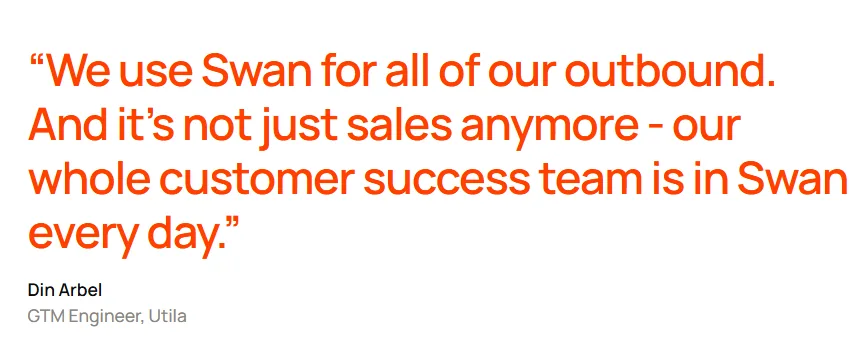
At Utila, Swan is credited with $1.8M in pipeline from 37 opportunities in four months. Opportunities converted at three times the rate Utila saw from outbound before Swan.
What Is Website Visitor Identification?
Visitor identification connects an anonymous session to the business or individual behind it. Analytics tools report sessions, sources and page views. Identification answers a different question: who were those people?
Google Analytics can’t fill that role. Google says that in GA4, IP addresses are not logged or stored. So GA4 can tell you a visitor from Chicago read your pricing page twice. It can’t tell you which company they work for.
Identification happens at two levels:
- Company level: You learn the business behind a visit, along with details like industry, size and location. This is the most common type, and most of it relies on reverse IP lookup.
- Person level: You learn the individual, often with a name, role and LinkedIn URL. This is harder to get, it depends on outside data networks and it faces stricter privacy rules.
Most teams need both. Company matches show which accounts are active. Person matches give your SDRs someone to contact.
Why It Matters for Marketers and SDRs
For marketers, it reveals demand that never shows up as a form fill. You can see which target accounts read your content and which channels bring in the right companies. You can also build ABM lists and ad audiences from real activity. Swan’s page for demand gen teams covers how this handoff to sales can work.
For SDRs, it adds timing and context. A rep who knows an account viewed pricing three times this week has a real reason to get in touch. They also know which topics to lead with. That beats a cold list.
How to Identify Website Visitors: Step by Step
The steps start with your most accurate data and move outward. Each one adds coverage, along with more uncertainty and privacy work.
Step 1: Name the Visitors Your Own Data Already Knows
Nothing beats first-party data for accuracy. It comes from people who chose to share details through a form, a login or an email click. Get this layer right before paying for anything else.
Marketing automation tools handle most of the work. HubSpot is a good example. It tracks visitors with browser cookies and treats them as anonymous until they submit a form. Once they convert, HubSpot attaches their earlier browsing history to the new contact record. Clicking a tracked link in one of your marketing emails can also tie page views to a known contact.
The cookie behind this is called hubspotutk. According to HubSpot’s cookie documentation, it records a visitor’s identity and lasts six months.
To test your setup, open a contact who converted recently and check their activity timeline. Pages viewed before the first form fill should appear there. If that history is missing, something in your tracking is broken.
Three issues cause most problems:
- Forms that skip the cookie: Custom or embedded forms that don’t pass the tracking cookie can’t connect past visits to the new contact.
- Declined cookies: HubSpot says that if a contact never accepted cookies, their record won’t show page views.
- Safari limits: WebKit’s tracking prevention rules delete cookies set by script after seven days without user interaction with your site. For visitors arriving from certain tracked cross-site links, the cap drops to 24 hours. A returning Safari visitor can look brand new.
Step 2: Match Anonymous Sessions to Companies With Reverse IP
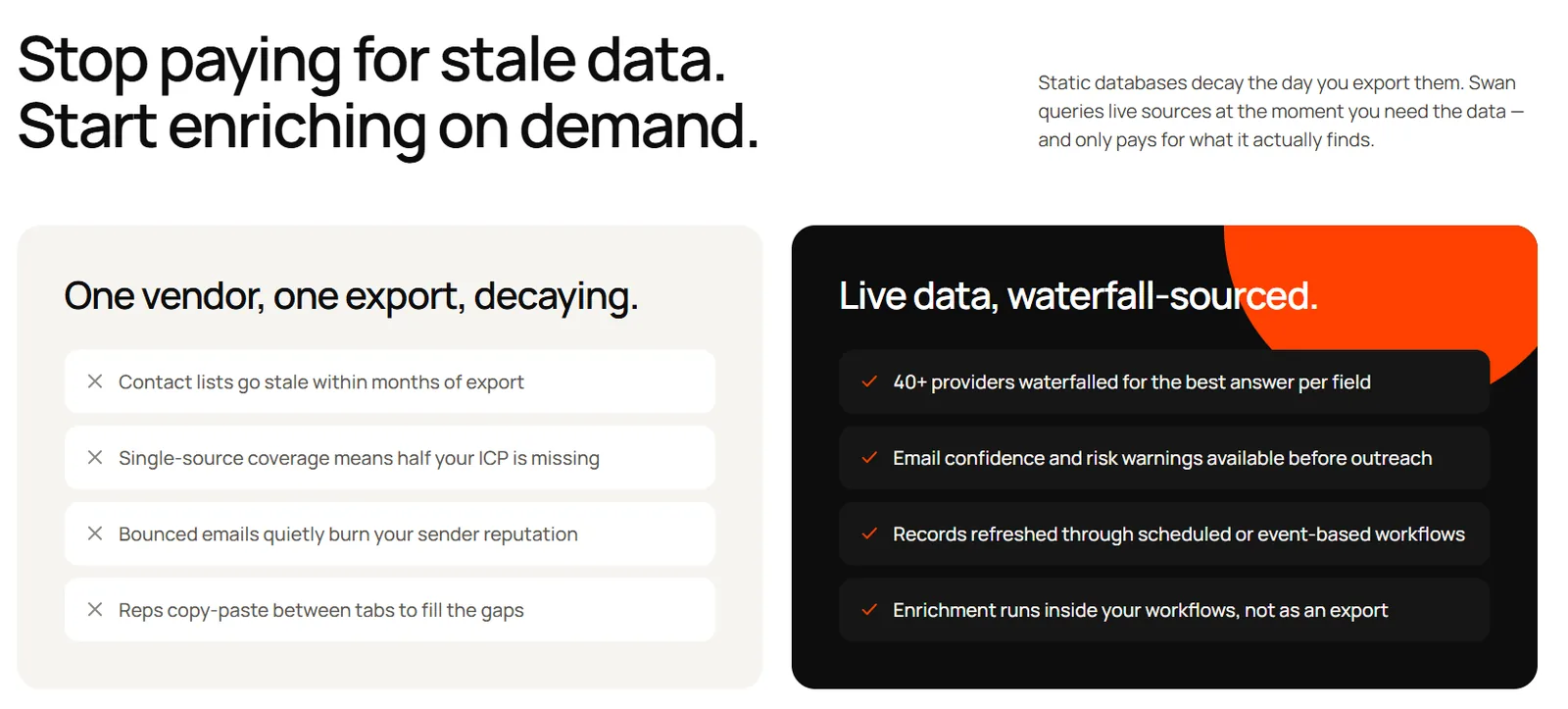
Reverse IP fills in visits from people who never convert. Each session carries an IP address, and a lookup tool checks that address against known company networks.
Leadfeeder explains that tools match visits against company network ranges built from regional internet registry records, along with other data sources. The result is a probable match, not a certain one. A visit from an office network also doesn’t tell you which employee made it.
The method performs best when someone browses on a corporate network. Results get much weaker off that network. Residential and mobile connections usually point to the internet provider, not the employer. VPNs hide the original connection entirely.
That limit matters more every year. Gallup’s hybrid work data shows that as of August 2026, 54% of US employees in remote-capable jobs work hybrid. Another 25% work fully remote. Many of your best prospects are browsing from their kitchen table.
Vendors report a wide range of results:
- In August 2026, Leadfeeder says it matched 38.0% of visits to a company across its five main regions. For the US and Canada, the figure was 30.8%.
- Warmly reports company-level match rates of 30% to 65%, with much lower rates for mobile and international traffic.
Treat these as vendor figures, not benchmarks. Your rate depends on your audience, regions and traffic sources.
Step 3: Layer In Individual Matches and Intent Signals
A company name shows interest. SDRs, however, need someone to email or call. Individual-matching tools aim to supply that, with tighter limits.
RB2B is one well-known example. Its FAQ says it matches visitors against a permissioned network of publishers, combining cookies, device identifiers and IPs. Named matches only work for US visitors. RB2B reports that customers usually get named matches for between 30% and 40% of their US traffic. Warmly, by contrast, puts its own person-level average at around 15%.
Those numbers are far apart. Test each tool with your real visitors before you trust any vendor’s figure.
Third-party intent data works differently. It tracks research that happens on other websites, not yours:
- Intent data co-ops gather research activity with a consent-based tag placed on member sites, which include publishers and B2B brands. They flag accounts whose recent research on a topic rises above their normal baseline.
- G2 Buyer Intent shows when companies view your G2 profile, pricing, comparisons or category pages.
Both sources work mainly at the account level. They can show that a company is researching your category, but not who is doing the reading. Intent data works best as a tiebreaker. When you have more identified accounts than time, use it to decide which ones to research first. Swan’s roundup of the best buying signal software covers the main intent tools in more detail.
Step 4: Review the Privacy Rules for Each Region
Even company-level matching processes personal data along the way. Which rules apply comes down to visitor location, so review every region that sends you traffic. This section is general information, not legal advice.
- European Union: GDPR Recital 30 lists IPs and cookie IDs among the online identifiers that can point to an individual. Processing them requires a legal basis, such as legitimate interests. The EDPB’s guidelines on tracking technology also confirm that tracking pixels and tracking links fall under ePrivacy rules, which often require consent.
- United Kingdom: Updated PECR rules, which took effect on February 5, 2026, let sites use some analytics storage without consent. Visitors must get clear information and an easy way to object. Marketing tracking isn’t covered by these exceptions, so it still needs consent.
- California: The state privacy agency lists IP addresses as personal information. The CCPA’s business-to-business exemption expired on December 31, 2022. You need a notice at or before collection, and a “Do Not Sell or Share” link if you sell or share data.
- Outreach email in the US: The CAN-SPAM Act makes no exception for business email. Every message needs a valid postal address, and unsubscribe requests must be honored within 10 business days.
A practical checklist:
- Put your identification script behind your consent banner wherever consent applies.
- Update your privacy policy to explain what you collect and why.
- Use person-level matching only in regions where it’s allowed.
- Have your legal team review the final setup before you go live.
Step 5: Install Your Script and Filter Out the Noise
Most identification tools follow a similar setup pattern.
Install the script once. Add it directly to your site’s code, through Google Tag Manager or through your site builder’s custom code option. Make sure it loads on every page you care about, especially pricing, demo and product pages.
Connect your systems. Link the tool to your CRM so matches land on the right account record. Connect Slack or email so the right people hear about important visits.
Filter out noise before it reaches anyone. A raw list of matched companies is mostly clutter. Exclude these before anyone sees an alert:
- Internet providers, cloud hosts and bot traffic
- Existing customers, unless a separate team handles them
- Competitors and your own employees
- Job seekers browsing your careers section
- Very short sessions, using a minimum time on site
Set alerts on high-intent pages. A pricing-page visit means more than a single blog read. Focus your alerts on the pages that signal buying interest.
Step 6: Research Every Account Before Anyone Reaches Out
A matched company sitting in a dashboard won’t create pipeline on its own. A person still needs to judge if the visit is worth acting on and find the right contact.
Doing this by hand means working through a checklist for each account:
- Does the company fit? Compare its size, industry and region with your ideal customer profile.
- What’s your history with them? Rule out current customers, open deals and past losses that shouldn’t be reopened.
- What did they look at? Repeat visits to pricing tell a very different story from one blog post.
- Who would own the problem? Identify the handful of people most likely to buy what you sell.
- Any recent triggers? New funding, a leadership hire or fresh job openings can give your outreach a timely angle.
That takes real time for every account. Multiply it by every match in a busy week, and most matches go unworked.
This is the work Swan takes off your team’s plate. As an AI GTM engineer, Swan watches for signals such as site visits, digs into each account and handles the outreach.
Setup starts with a single snippet, pasted into your HTML or added with Google Tag Manager. Each visit then runs through three layers.
- First, the RB2B pixel built into Swan’s script looks for a person-level match.
- Next, Swan’s own matching layer resolves the IP address to a company and, when the signal is strong enough, to a LinkedIn profile.
- Finally, if a session is still unresolved after it goes quiet, Swan makes one more company-level attempt. Company-level matching works outside the US, too.
Swan then cleans the list. It drops visits with no usable company, accounts on lists you’ve excluded and the same company matching twice in a short window. You can also set allowed countries, excluded paths and a minimum session time.
For the visits that pass, Swan enriches the contact and checks your CRM. It also classifies each company against your ICP segments and can check contacts against your buying-committee personas. That handles much of the manual checklist above. You can see how this fits into a wider signal strategy on our intent-based prospecting page.
We want to be clear about the limits. Swan doesn’t identify every visitor, and our website visitor identification page says there is no fixed identification rate. Coverage depends on your traffic and industry. If you already use another identification pixel, take it off your site first. Two of them clash, and one can go silent.
Step 7: Route Each Visit to the Best Owner Across Your GTM Team
Response time makes a real difference. A Harvard Business Review study audited 2,241 US companies and found most were slow to answer web leads. The same authors also analyzed 1.25 million leads. Firms that tried reaching a lead inside the first hour had nearly seven times the odds of qualifying it. The comparison group waited one hour longer. Our guide to signal-based selling explains why timing matters even more for signals like site visits.
Speed is wasted if the visit lands with the wrong person. These routing rules handle most situations:
- Owned target account: Notify the AE in Slack, with the visited pages and account research included.
- Strong fit, unowned: Hand it to an SDR along with drafted outreach for the likely buyers.
- Strong fit, early stage: Give it to marketing for nurture emails or retargeting.
- Current customer: Flag it to customer success. It may signal an upsell chance or a renewal concern.
- Weak fit, competitor or applicant: Ignore it.
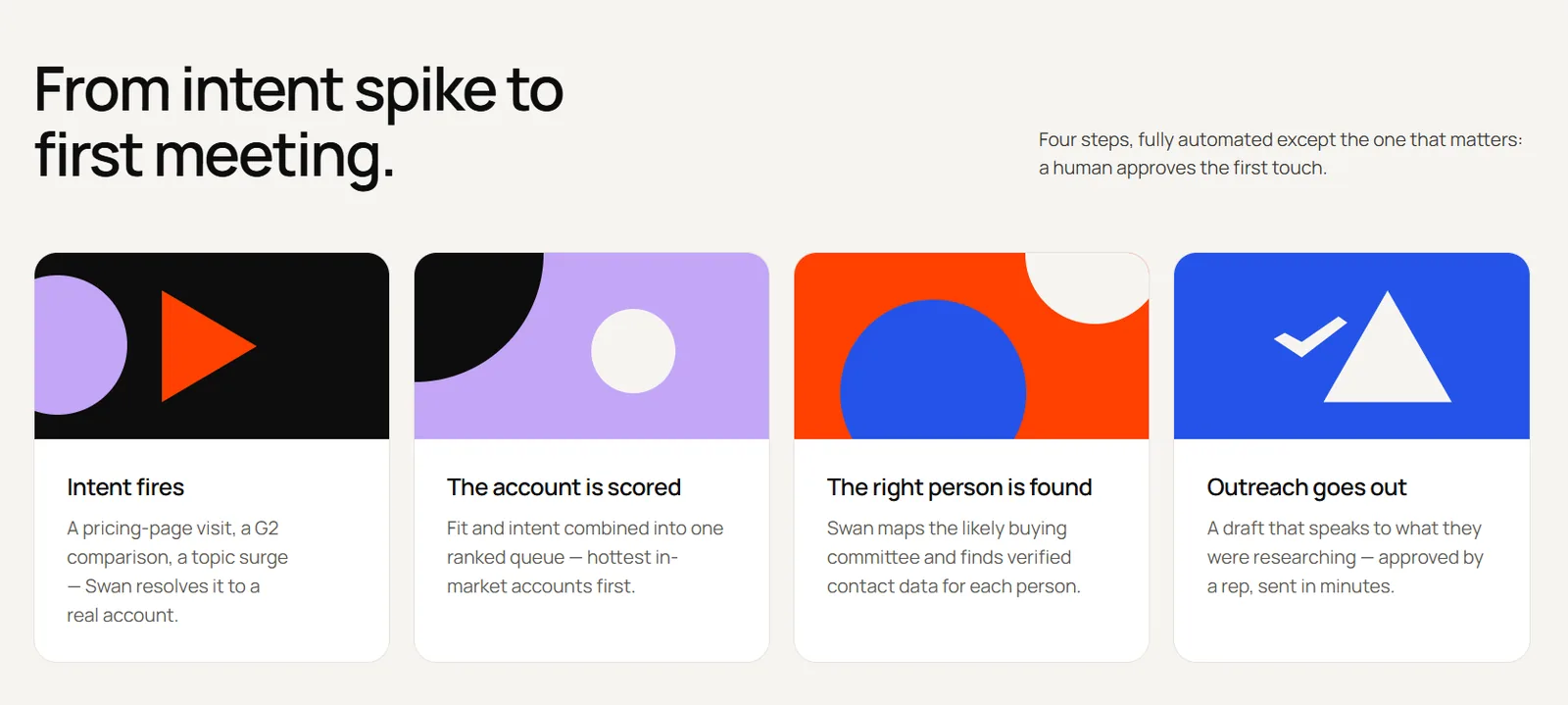
In Swan, each rule is a trigger you write in natural language. Admins can set triggers for the whole org, and team members can set their own. Swan can qualify each lead and route it with the reasoning attached. It can then message the account owner in Slack with the visited pages, update the CRM or prepare outreach that waits for rep approval.
You stay in control of what goes out. By default, every sequence Swan builds waits for approval before the first message is sent. Reps can approve in the app or straight from Slack. Our SDR page shows how teams choose between rep approval and auto-send for different plays.
A healthy setup gives every matched visit an owner and a clear action inside an hour. Then measure the meetings and pipeline these visits generate each month.
Common Mistakes to Avoid
- Treating a match as buying intent: A visit shows interest, not readiness. Research the account before you assume anything.
- Mentioning the visit in your outreach: Saying you noticed someone on your pricing page feels intrusive. Use the visit to choose your topic, not as your opening line.
- Running two identification pixels: Overlapping scripts can conflict and cause one to stop reporting without warning.
- Skipping exclusions: Without filters, customers, competitors and job seekers flood your alerts.
- Leaving matches without an owner: An identified visit with no assigned follow-up is wasted data.
- Ignoring consent for EU and UK traffic: Person-level tracking without the right consent setup creates real legal risk.
How to Choose Your Visitor Identification Setup
Selection Criteria
Weigh these factors before you commit:
- Traffic mix: Mostly US traffic opens up person-level matching. Heavy EU or UK traffic means you’ll rely more on company-level data and consent.
- Level of detail: Decide whether your team needs company names, named people or both.
- Fit with your stack: Check that matches sync cleanly to your CRM and reach the right Slack channels.
- What happens after a match: Some tools end at a list or a notification. Others research the account and draft the next step.
- Cost model: Compare flat subscriptions with usage-based pricing, especially if your traffic is high.
- Privacy controls: Look for country filters, consent support and exclusion settings.
How to Choose
Match your setup to your situation:
- Inbound-heavy teams: Get Step 1 right first, then add company-level matching on pricing and demo pages.
- Outbound teams with target account lists: Combine reverse IP matching with intent data, and alert owners when a target account visits.
- Teams with mostly EU or UK traffic: Lean on company-level identification and make consent part of the rollout from day one.
- Lean teams without RevOps support: Choose a tool that researches and routes each match, so identified visits don’t pile up unworked.
For a side-by-side look at vendors, see our roundup of website visitor identification software [LINK: listicle URL, add once live].
Pick One Page and Start This Week
You can skip the full stack at first. Begin by fixing your forms and cookies so you can name the visitors you already know. Add company-level identification next. Then choose a single high-intent page, such as pricing, and set one routing rule for it.
After a week, check which matches turned into real conversations and adjust your filters.
If you’d rather not stitch together identification, research and routing yourself, Swan brings all three together.
Start the free trial to find out who’s browsing your site right now.
FAQs
Can a Company Tell if I Visited Their Website?
Often, yes, at least at the company level. When you browse at work, reverse IP can reveal your employer. Submitting a form or clicking a tracked email can also identify you by name. Some US visitors can even be matched individually without either.
Is It Legal to Identify Website Visitors?
It depends on where your visitors are and what you collect. Person-level matching faces stricter rules than company-level data, especially in the EU and UK. Review the privacy section above and check your setup with your legal team.
What Match Rate Is Realistic?
It varies by method, region and traffic source. Vendors report company-level rates from roughly 30% to 65%. Person-level rates are usually lower and mostly limited to US traffic. Test any tool on your own traffic before you rely on its numbers.
What Software Can Track Website Visitors?
Three groups of tools cover this. Analytics platforms like Google Analytics measure traffic and behavior. Identification tools put company or person names on sessions. Intent providers such as G2 Buyer Intent reveal research done on other sites. Most teams use at least one from each group.
What Is the Best Free Website Visitor Tracker?
GA4 costs nothing and handles traffic reporting well, but it can’t show which companies visited. HubSpot lists its tracking code as available on all its products and plans, so form fills turn anonymous visitors into named contacts. For company or person-level matching, you’ll usually need a paid tool or a free tier with limits.
What’s the Difference Between Company-Level and Person-Level Identification?
Company-level identification tells you which business visited your site, usually through reverse IP lookup. Person-level identification tells you which individual visited, often with a name and LinkedIn profile. Company-level data covers more regions. Person-level data is more useful for outreach but comes with tighter privacy rules.