
Playbooks· 16 min read
The 5 Best ABM Tools in 2026, Compared on What Happens After the Signal
Compare the 5 best ABM tools for 2026. See how Swan, Demandbase, 6sense, HubSpot and AdRoll ABM handle intent, ads, buying committees and pricing.
 Amos Bar-JosephCo-Founder & CEO ·
Quick Summary
ABM tools help marketing and sales pick the accounts worth winning, reach the people inside them and track which accounts turn into pipeline. Most platforms handle the first step well. They flag accounts showing intent and serve ads to them. Fewer help with the next step, which is researching the buying committee and getting a relevant message to each person. We compared five ABM tools on intent data, ads, committee coverage, follow-through and pricing. Swan ranks first for teams that need plays carried out, not just flagged. Demandbase and 6sense lead for enterprise intent and advertising.
Top 3 ABM Tools at a Glance
| Tool | Best for | Starting price | After an account shows intent |
|---|---|---|---|
| Swan | Turning account signals into approved, multi-threaded plays | Usage-based credits, free trial | Maps the committee and drafts email and LinkedIn plays for approval |
| Demandbase | Enterprise ABM with its own ad network | Custom quote | Targets the account with ads and suggests next steps to sellers |
| 6sense | Predicting buying stage across large account lists | Custom quote | Updates the buying stage, segments and ad audiences |
Where ABM Programs Lose Momentum
ABM is hard because the buying group keeps growing. Forrester’s 2026 State of Business Buying found that a typical purchase now pulls in 13 people from inside the buying company, plus nine outside influencers. Reaching all of them takes planned, coordinated work from marketing and sales.
Most teams aren’t set up for that. In N.Rich’s 2025 State of ABM report, only 26% of organizations called their ABM program successful. Just 22% used a dedicated ABM platform, and 29% still leaned on spreadsheets and manual work.
The pattern is familiar. Marketing spots an account researching your category. A score goes up, an alert fires and a rep gets a notification. Then the week gets busy, nobody researches the buying group and the account cools off. So when we compared these tools, we asked what each one does after an account shows interest.
Why Listen to Us?
We build Swan, so we see every day where ABM work stalls inside revenue teams. At Elastic Path, Swan now influences more than half of closed-won deals and handles 90% of outbound. Before that, preparing one outreach message took 14 separate steps spread over seven tools.
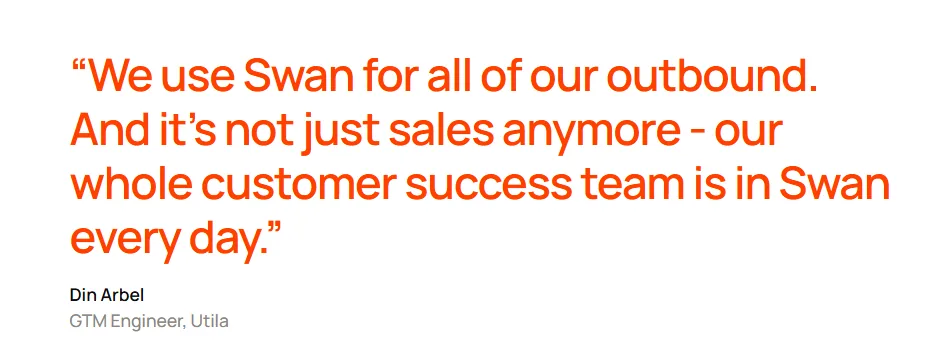
At Utila, the team runs event-led ABM through Swan. Its pre-event reply rate rose from 10% to 27%. Over four months, Utila traced $1.8M in pipeline back to Swan.
We’ve also tried to keep this review fair. Each tool gets credit for what it does best, including the jobs Swan doesn’t do.
What Are ABM Tools?
ABM tools help B2B teams sell to a chosen list of companies instead of chasing every lead that fills out a form. The term is short for account-based marketing. Marketing and sales agree on the accounts worth winning, then plan ads, emails, calls and content around the people inside each one.
The software handles the parts that don’t scale by hand. It flags which target accounts are showing interest, identifies the people likely to sit on the buying group and helps you reach them. It also reports on progress by account, not by individual lead.
Most ABM tools lean toward one job. Some focus on data and buying signals. Others run account-based ads, live inside your CRM or carry out the outreach itself.
Why Are ABM Tools Important?
- Focus: Intent data shows which target accounts are researching your category this week, so effort goes where demand already exists.
- Coverage: Deals now involve many people. ABM tools find the economic buyer, the day-to-day users and the likely blockers at each account.
- Alignment: Marketing and sales work from one account list and one set of signals, which ends arguments about lead quality.
- Personal outreach at scale: A CFO and an engineering lead get different messages without someone writing every draft from scratch.
- Account-level reporting: You can show which target accounts moved into pipeline, the number leadership actually wants to see.
5 Best ABM Tools
| Tool | Best for | Starting price | Intent data | Ads |
|---|---|---|---|---|
| Swan | Turning account signals into approved, multi-threaded plays | Usage-based credits, free trial | Third-party intent, website visitors, business events, CRM | No |
| Demandbase | Enterprise ABM with its own ad network | Custom quote | Own intent and account data | Own B2B DSP |
| 6sense | Predicting buying stage across large account lists | Custom quote | Own keyword network plus partner sites | Native DSP plus LinkedIn, Google and Meta sync |
| HubSpot | Teams already running on HubSpot | $800/mo (Marketing Hub Pro, paid annually) | Buyer and research intent, using credits | LinkedIn audience sync |
| AdRoll ABM | Ad-led ABM for mid-market teams | Custom quote; retargeting pay-as-you-go | Own signals plus third-party and G2 intent | Display, video, CTV, social and LinkedIn |
1. Swan: Best for teams that need ABM plays researched, drafted and run
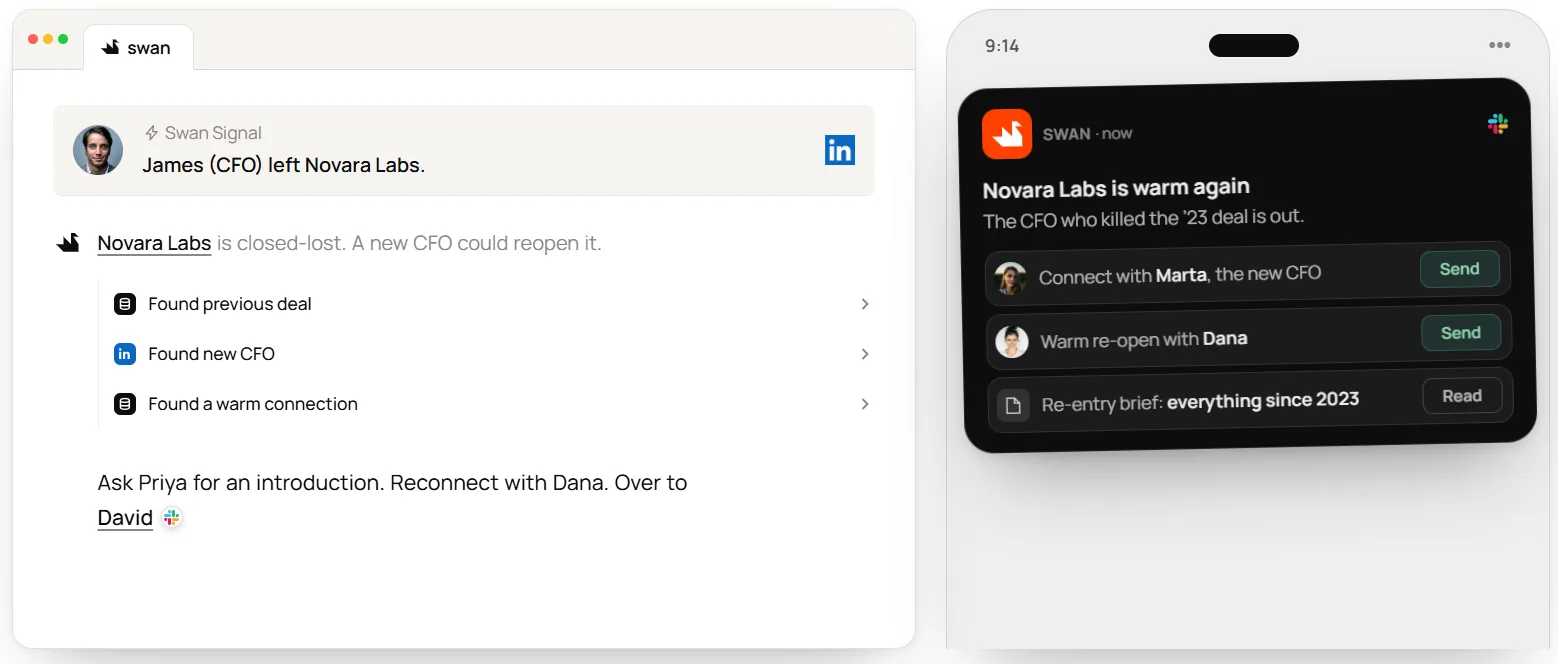
ABM platforms score accounts and fill dashboards. Swan, the AI GTM engineer, handles the follow-through. It watches your target accounts, finds the people on each buying committee and drafts outreach for every one of them.
You start by bringing a named-account list from a CSV or your CRM and choosing the signals that matter. When a tier-1 account warms up, Swan researches it and builds the play. Triggers include a funding round, a hiring surge, a champion’s job move or repeat pricing-page visits. It looks for the right people by title, seniority and department. Then it writes account-specific messages for email and LinkedIn. Swan’s AI ABM targeting page walks through the full flow.
By default, each sequence waits for approval in Slack or the app, so sales decides what reaches its accounts. Swan also keeps a memory file for every account and contact. It reads that file before each run and adds what it learns, so context stays put when a rep leaves.
At Finout, Yifat Marcus saw the change quickly. “For the first time, the AEs could actually see the people that are visiting the website,” she says.
Key Features
- Signal triggers: Start plays from funding, hiring surges, new executives, job changes, third-party intent surges and website visits.
- Visitor identification: Match site visits to companies, or to people where the signal allows, with no separate subscription.
- Committee search: Find contacts inside a target account by title, seniority and department.
- Named-account lists: Import your list from a CSV, pull it from a connected CRM or build it in Swan.
- Email and LinkedIn plays: Run both channels on one cadence for each contact.
- Slack approvals: Approve, edit or deny a contact’s full sequence before the first touch.
- Account memory: Keep a running file on every account and contact that each new play builds on.
Pricing
Swan bills usage-based credits for completed work, like account research, data enrichment and sending. Annual plans cost less than monthly ones. There’s a 14-day free trial for new accounts, with no credit card required.
Pros
- A warm account becomes a researched, drafted play instead of a line on a dashboard.
- Each person on the committee gets a message written for their role, not one email for everyone.
- Sequences wait for approval by default, so reps keep control of their accounts.
- It pulls intent from tools like 6sense and Demandbase, so it builds on data you already pay for.
- Account memory keeps the full history in one place, even after the account owner changes.
- You can try it free on one tier-1 segment before you commit, with no card on file.
Cons
- Swan doesn’t run ads or personalize your website, so you’ll need another tool if paid media drives your program.
2. Demandbase: Best for enterprise teams running account-based ads at scale
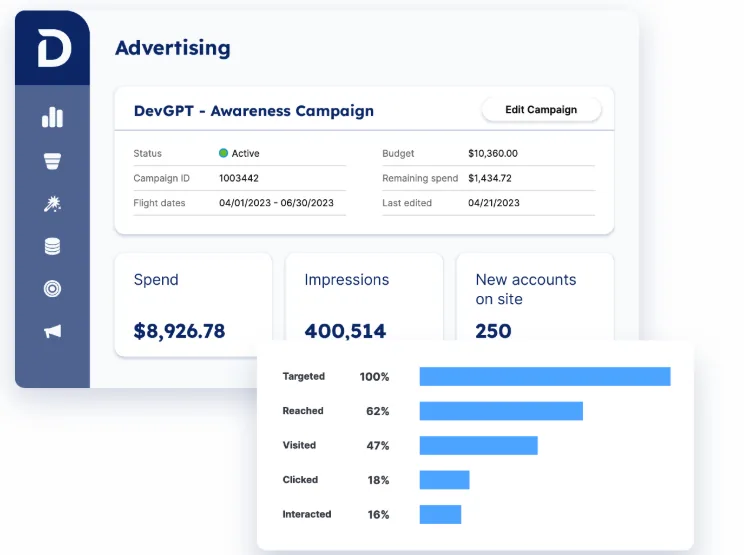
Demandbase gives marketing and sales one platform for account-based go-to-market work. In April 2026 it rebuilt the product as Demandbase AI, with a chat interface and a set of AI agents. You’ll still see it listed as Demandbase One on review sites.
The platform splits into Marketing, Advertising, Sales and Data, all sharing one account database. Demandbase says that database covers more than 342 million contacts across 13 million companies. Gartner named it a Leader in the 2026 Magic Quadrant for ABM platforms, its sixth year in a row.
Advertising is the main reason demand gen teams shortlist it. Demandbase owns a B2B demand-side platform (DSP), so you can buy display, video, CTV, social and web placements in one place. Reach and frequency are capped account by account. On the sales side, it flags decision-makers in each buying group and suggests next steps. The messages themselves still go out through tools like Outreach or Salesloft.
Key Features
- Unified account data: Combines firmographic, technographic, buyer and intent data in one place.
- B2B-native DSP: Runs display, video, CTV, social and web ads with account-level frequency control.
- Buying group insights: Shows sellers which decision-makers are engaging and which accounts to work first.
- AI agents: Mojo, launched in September 2026, builds audiences and runs campaigns in connected tools like Google Ads, LinkedIn Ads and Meta.
- Salesforce sync: Moves accounts, contacts, opportunities and activity between both systems, with a daily writeback.
Pricing
Demandbase doesn’t publish prices. Its pricing page describes a platform fee for the core software and services, plus a set charge for each user. You fill out a form to get a custom quote.
Ratings
G2: 4.4/5 (2,025 reviews) | Capterra: 4.4/5 (18 reviews)
Pros
- Advertising, intent and seller insights pull from one database, so both teams read the same account scores.
- Gartner has rated it a Leader in ABM for six straight years.
- Its own DSP adds CTV and video reach that LinkedIn-only setups lack.
Cons
- G2 reviewers often mention a steep learning curve and a crowded interface.
- There are no public prices, so you can’t compare costs until you talk to sales.
- On Capterra, value for money is its lowest score, at 3.6/5.
3. 6sense: Best for predicting which accounts are ready to buy
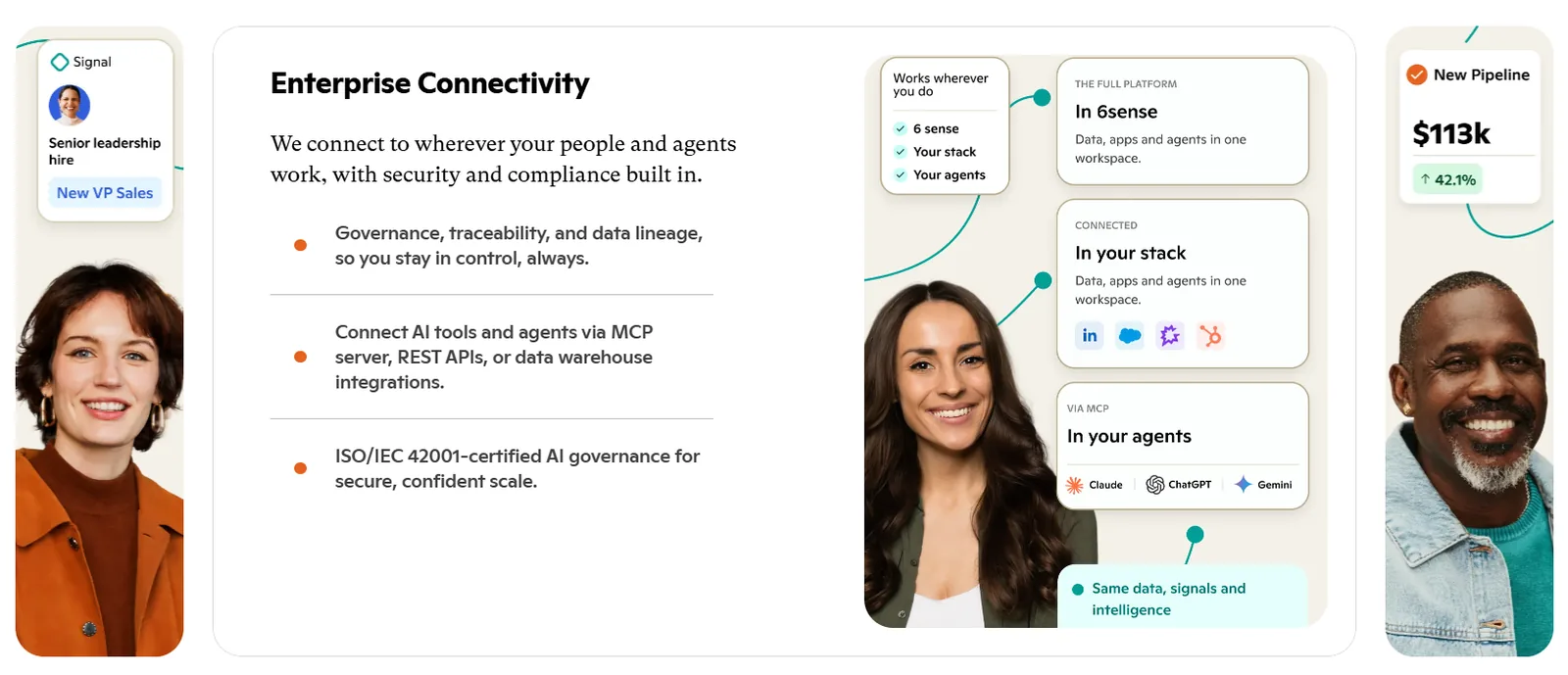
6sense now describes itself as an intelligence platform for agentic GTM. Its products include Revenue Marketing, Sales Intelligence, Advertising and AI email agents. In Gartner’s 2026 ABM Magic Quadrant, no vendor scored higher on Ability to Execute.
Its core strength is prediction. Custom models estimate each account’s buying stage, competitive threat and deal risk. They pull keyword intent from 6sense’s own publisher network and add partner signals from G2, TrustRadius and others.
One limit matters for ABM planning. 6sense identifies the company behind anonymous research, not the person, unless that person fills out a form. To reach buyers, you can run ads on its native DSP or sync audiences to LinkedIn, Google and Meta. Paid AI email agents can also write, send and answer emails.
Key Features
- Predictive models: Estimate where each account sits in its purchase and how likely the deal is to slip.
- Blended intent: Combines keyword intent with partner signals, including 12 third-party intent topics at no extra cost.
- Dynamic segments: Move accounts in and out of segments as their behavior changes.
- Native DSP and audience sync: Runs ads on its own DSP and syncs audiences to LinkedIn, Google and Meta.
- Sales Intelligence: Searches 370M+ buyer profiles and ranks buying-team members by priority.
Pricing
6sense publishes no prices or free plan. Revenue Marketing, Sales Intelligence and 6sense Intelligence are all quote-based. Credits, predictive models, email agents and extra intent topics are sold as add-ons.
Ratings
G2: 4.2/5 (1,595 reviews) | Capterra: 4.5/5 (15 reviews)
Pros
- Buying-stage and deal-risk predictions help you decide which accounts to work this week.
- Intent from its own network and partner sites shows up in one view.
- Segments and ad audiences update on their own as account behavior shifts.
Cons
- It identifies accounts, not people, so someone still has to work out who to contact.
- Several key features, including credits and predictive models, cost extra.
- Reviewers mention a learning curve and slow setup, and G2 lists about three months to implement.
4. HubSpot: Best for teams that already run marketing and sales on HubSpot
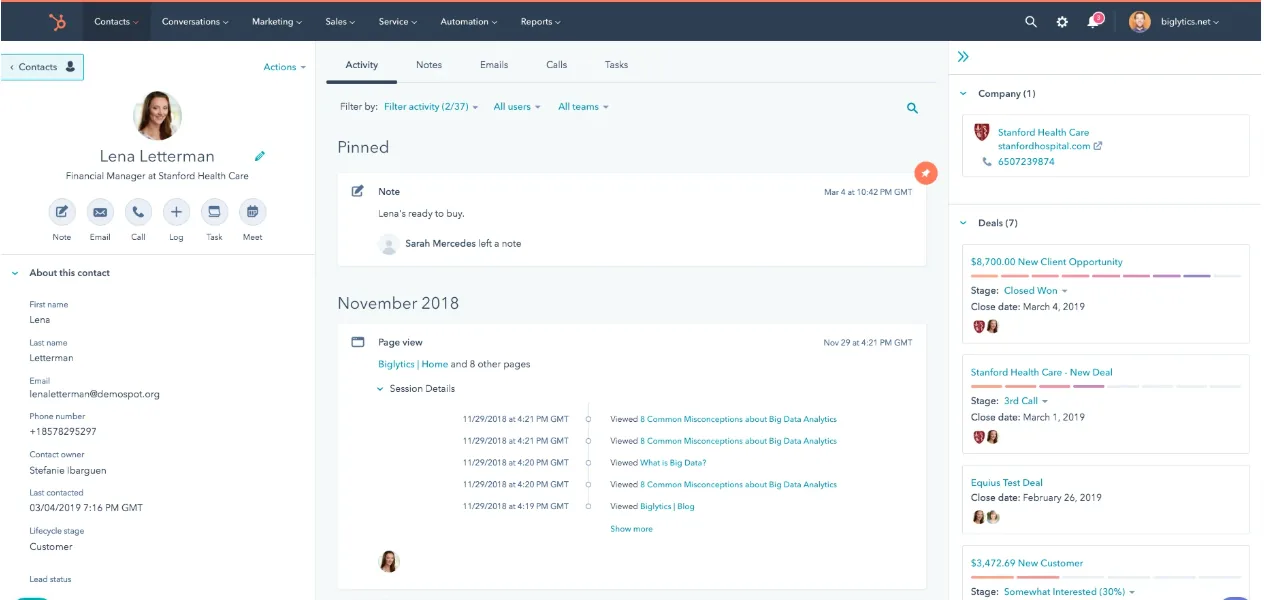
HubSpot builds its ABM tools into the Pro and Enterprise plans of Marketing Hub and Sales Hub. If both teams already work in HubSpot, it’s the quickest way to start ABM without adding a platform.
You mark companies as target accounts and rank them in three fit tiers. Contacts get buying roles, such as Budget Holder or Blocker. The target accounts page puts engagement and open deals for every account on one screen for both teams. One report lists target accounts with no buying roles assigned, which makes committee gaps hard to miss.
HubSpot also has its own intent tools. Buyer intent shows which companies visit your site, and research intent tracks topic research across a network of 200,000+ websites. It doesn’t run an ad network, so account-based ads mostly go through LinkedIn company audiences synced from your target list.
Key Features
- Target accounts and ICP tiers: Flag target companies and rank them in three tiers by fit.
- Buying roles: Label each contact’s role in the deal and filter accounts by buying committee.
- Buyer and research intent: See which companies visit your site and which ones research your topics elsewhere.
- ABM reports: Use ready-made templates for account engagement, pipeline and revenue.
- LinkedIn audience sync: Send target accounts, or a single ICP tier, to LinkedIn as a company audience.
Pricing
The ABM tools start with Marketing Hub Professional, priced from $800/month on an annual plan or $890/month on a monthly one. That includes 3 core seats, 2,000 marketing contacts and 3,000 HubSpot Credits. A one-time $3,000 onboarding fee is required. Enterprise starts at $3,600/month, with $7,000 required onboarding.
Ratings
G2: 4.4/5 (16,070 reviews) | Capterra: 4.5/5 (6,262 reviews)
Pros
- ABM runs inside the CRM both teams already use, so there’s nothing to sync.
- Buying-role reports show which target accounts have no mapped committee.
- Prices are published, so you can budget before you talk to anyone.
Cons
- The ABM tools start at Professional, which also brings a $3,000 onboarding fee.
- Intent tracking and adding net-new target accounts use HubSpot Credits.
- There’s no ad network of its own, and LinkedIn audiences need at least 300 members.
5. AdRoll ABM: Best for mid-market teams that lead with advertising
AdRoll ABM is NextRoll’s account-based marketing product. It was called RollWorks until August 2025, when NextRoll moved everything under the AdRoll brand. Logins, campaigns and reports carried over unchanged.
Its predictive AI defines your ideal customer profile, finds target accounts you haven’t spotted and scores them by fit. Intent comes from AdRoll’s own signals, combined with third-party and G2 intent. Ads run across display, native, video, mobile, social, CTV and digital out-of-home, and paid packages can launch LinkedIn campaigns from inside AdRoll.
When an account starts spiking, AdRoll alerts reps by email, in the CRM or on its dashboard. Fit scores sync to Salesforce and HubSpot. The outreach itself runs through a sequencer like Outreach or Salesloft.
Key Features
- ICP fit grades: Score accounts on firmographic, technographic and location fit.
- Blended intent: Mix AdRoll’s own intent signals with third-party and G2 intent data.
- Multichannel ads: Reach accounts on display, native, video, social, CTV and LinkedIn.
- Spike alerts: Give reps a heads-up when their accounts heat up or change journey stage.
- Revenue impact report: Measure how ads affect pipeline, win rate and deal size.
Pricing
AdRoll’s pricing page lists four ABM packages. Account-Based Advertising, Account-Based Marketing + Advertising and Account-Based Marketing are all demo-led, with no published prices. Account-Based Retargeting costs nothing to start beyond your media spend.
Ratings
G2: 4.3/5 (661 reviews) | Capterra: 4.5/5 (28 reviews)
Pros
- Retargeting carries no starting fee, which makes it a low-risk way to try account-based ads.
- Ads, fit scores and intent sit in one application, from display to CTV.
- Fit scores and spike alerts appear in Salesforce and HubSpot, where reps already work.
Cons
- Outreach depends on a separate sequencer, and those integrations come only with certain packages.
- LinkedIn campaigns support only single-image sponsored content, billed apart from media credits.
- G2 reviewers often point to a learning curve and limited reporting.
Selection Criteria
How We Evaluated
We reviewed each tool from the seat of a demand gen leader who works the same accounts as sales. Five questions shaped the ranking:
- Intent coverage: Which signals does it read, and does it see accounts, people or both?
- Committee coverage: Can it find several stakeholders per account and show their roles?
- Follow-through: After a signal, does it reach those people, or stop at a score and an alert?
- Fit with sales: Do reps see the activity in tools they already use, and do they keep control?
- Cost clarity: Are prices published on the vendor’s own site, and which features are add-ons?
How to Choose
- Your intent data works, but accounts still go cold: Choose Swan. It converts each signal into a play for the whole committee, and our demand gen workflows show how it fits next to your marketing automation.
- You’re running ads to hundreds of accounts on an enterprise budget: Demandbase pairs a B2B ad network with buying-group data under one contract.
- You need to know which accounts are closest to buying: 6sense’s buying-stage predictions are the strongest here.
- Both teams already live in HubSpot, and ABM is new to you: Start with HubSpot’s built-in tools before adding another platform.
- Your ABM program leads with ads and you want to test cheaply: AdRoll ABM’s pay-as-you-go retargeting is the cheapest way in.
These tools also work together. Plenty of teams keep a data or ad platform for reach and add Swan to act on what it finds.
Pick the Tool That Fixes Your Weakest Step
Every ABM program breaks somewhere. Some teams can’t tell which accounts are in market. Others know exactly which accounts are warm and still lose them, because nobody has time to research the committee and write to each person.
If your problem is finding and reaching accounts with ads, look at Demandbase, 6sense or AdRoll ABM. If your team already runs on HubSpot, its native tools are the easiest start. If the work breaks down after the signal, Swan was built for that part. It maps the buying committee, drafts the play and waits for your team’s approval.
Choose one tier-1 segment, connect the signals you already have and see what Swan drafts in your first week.
FAQs
What Is The Best ABM Tool?
It depends on where your program struggles. Swan is the best choice for turning account signals into researched, approved outreach. Demandbase and 6sense lead for enterprise intent and advertising. HubSpot suits teams already on its CRM, and AdRoll ABM fits ad-led mid-market programs.
How Much Do ABM Tools Cost?
Demandbase and 6sense publish no prices and quote every deal. AdRoll ABM quotes its ABM packages, though retargeting has no starting fee and you’re charged only for media. HubSpot’s ABM tools start with Marketing Hub Professional at $800/month paid annually, plus $3,000 onboarding. Swan uses usage-based credits and offers a free trial.
Can A Small Team Run ABM Without A Dedicated Platform?
Yes, and most do. N.Rich found that only 22% of organizations use a dedicated ABM platform. A small team can start with a short target list, the CRM it already has and a tool that handles research and outreach. Add an ad platform once you know which accounts respond.
What’s The Difference Between ABM Software And Marketing Automation?
Marketing automation runs campaigns for individual leads, such as email nurtures and form follow-ups. ABM software works at the account level. It picks target companies, tracks intent across everyone at each one and coordinates marketing and sales touches. Many teams run both, with ABM deciding which accounts get attention.
How Many Accounts Should Be On An ABM List?
Start smaller than you think. Your top tier should be a list your team can research and work personally, often a few dozen accounts. Wider tiers can get lighter, more automated programs. Review the list as intent shifts and deals close.