
Playbooks· 17 min read
We Reviewed the 5 Top AI Platforms for Email and LinkedIn Outreach
We compare five AI platforms that run email and LinkedIn in one sequence, covering research depth, approval control, LinkedIn steps, and vendor pricing.
 Amos Bar-JosephCo-Founder & CEO ·
Quick Summary
Plenty of sales teams still split cold email and LinkedIn across two separate tools. We compared five AI platforms that run both channels from a single sequence. Swan comes first because it writes every email and LinkedIn message from a research brief on the account. You also choose, play by play, what waits for approval. Reply.io suits buyers looking for an AI SDR with an approval switch. Amplemarket fits teams that want data and dialing on one contract.
| Tool | Best For | Starting Price | Approval Control |
|---|---|---|---|
| Swan | Email and LinkedIn messages drafted from account research | Usage-based credits, free trial | Review by default; auto-send set play by play |
| Reply.io | An AI SDR that covers both channels | $89/user/mo billed annually (Multichannel) | Approval mode or automatic mode per sequence |
| Amplemarket | Data, sequences and a dialer on one contract | $600/mo on an annual term | Rep review in a feed; admins can automate by signal |
Why Your Email and LinkedIn Tools Need to Talk to Each Other
Picture a VP of Sales who replies to your LinkedIn message on Tuesday. On Thursday, your email tool sends her a follow-up asking if she saw your note. She did. She answered it. Now she wonders whether anyone on your side reads replies at all.
This happens when each channel lives in its own tool with its own contact list. The email tool has no idea the LinkedIn conversation exists. Reps then cover for it with spreadsheets, manual pauses and Slack reminders. It works for twenty prospects and breaks at two hundred.
A shared sequence fixes the basics. One contact record holds every touch, and a reply on either channel ends the run. The better platforms go further and decide what each message should say based on who the prospect is and what just changed at their company. Below, we compare five platforms that run email and LinkedIn together and explain where each one fits.
Why Listen to Us?
Swan runs outbound for revenue teams that approve real messages every day. At Elastic Path, 90% of outbound is now automated with Swan, while reps keep the final review and send. The team saw 20% more pipeline in its first full quarter. At Finout, the GTM team says one SDR now has the impact of a five-person SDR team because of Swan.
We build Swan, so it sits first on this list. We still point out where another platform suits a team better, and we took every competitor price from that vendor’s own pricing page.
What Is an AI Platform for Email and LinkedIn Outreach?
It’s software that plans, writes and sends outreach on both email and LinkedIn inside a single workspace. You load or source a list of prospects. The platform then runs each person through a sequence. That’s a timed series of steps. Think of an email on day one, a connection request on day two and a LinkedIn message after they accept.
The AI part shows up in three places. It researches the account and the person. It drafts the copy for each step. On some platforms, it also answers replies or decides who should enter a sequence next. How deep each platform goes on those three jobs is what separates the five tools below.
Why Is an AI Platform for Email and LinkedIn Outreach Important?
- No crossed wires: A reply on LinkedIn stops the email steps too, so nobody gets chased after they’ve already answered.
- A second door: Plenty of buyers ignore cold email but accept connection requests, and others do the opposite. Running both channels gives each prospect two ways to respond.
- Research that scales: A rep can research ten accounts properly in a morning. An AI platform can build a brief for every contact on the list before a single word gets written.
- Timing tied to events: Platforms that watch buying signals start a sequence when something changes. A funding round or a champion’s job move beats a fixed calendar.
- Cleaner records: One platform writing activity back to your CRM beats two tools fighting over the same contact.
5 Top AI Platforms for Email and LinkedIn Outreach
| Tool | Best For | Channels in One Sequence | Starting Price | Approval Control |
|---|---|---|---|---|
| Swan | Email and LinkedIn messages drafted from account research | Email, LinkedIn | Usage-based credits, free trial | Review by default; auto-send set play by play |
| Reply.io | An AI SDR that covers both channels | Email, LinkedIn, calls, SMS, WhatsApp (semi-automated) | $89/user/mo billed annually (Multichannel) | Approval mode or automatic mode per sequence |
| Amplemarket | Data, sequences and a dialer on one contract | Email, LinkedIn, phone, voice and video | $600/mo on an annual term | Rep review in a feed; admins can automate by signal |
| lemlist | Self-serve teams that want public pricing | Email, LinkedIn, calls, SMS, WhatsApp (add-on) | $87/user/mo billed yearly (Multichannel) | Lead review before launch; auto-launch per campaign |
| La Growth Machine | LinkedIn-led teams that build branching sequences | LinkedIn, email, calls, X | $58/identity/mo billed annually | AI drafts are editable; Reply Agent answers LinkedIn replies on its own |
1. Swan
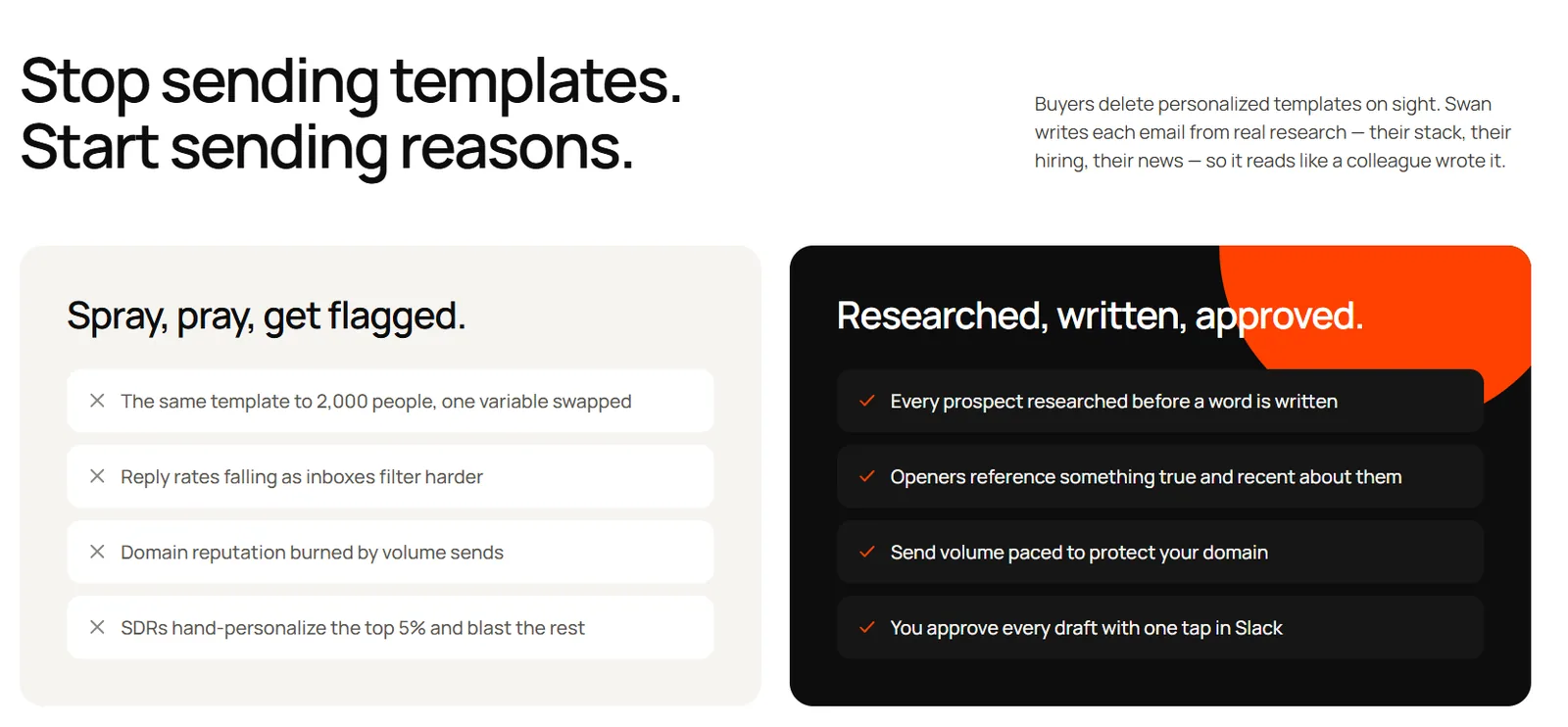
Swan works as an AI GTM engineer. It researches accounts, writes outreach and runs email and LinkedIn sequences from your own inboxes and LinkedIn accounts. We built it for teams that want the research and the writing done before anyone opens a draft.
Each message starts with a brief. Swan draws on CRM records, inbox threads and more than 40 data providers. The brief covers the prospect’s role, company news, tech stack, open roles and earlier touches. The draft then opens with something that is true about that account today. You can see the full flow on our AI-powered cold outreach page.
A Swan sequence mixes four step types: email, connection request, LinkedIn message and wait. A pending connection request doesn’t stall the rest of the sequence. If the invite expires, Swan drops the remaining LinkedIn steps and keeps sending the emails. When the prospect replies on either channel, the whole sequence stops.
Approval is your call, play by play. Every sequence waits for review by default. You approve, edit or reject each contact in the app or straight from Slack. A single approval unlocks all of that contact’s email and LinkedIn steps. After a play keeps delivering, you can instruct Swan to send it without review. New plays still start with a human check. You can also describe a new play in plain English, and Swan builds the workflow for you.
Key Features
- Research briefs: Every contact gets a brief built from CRM history, inbox threads and outside data before Swan writes a word.
- Signal triggers: Start a play from identified website visitors, funding news, executive hires, LinkedIn engagement on tracked profiles or third-party intent.
- Split senders: The email inbox and the LinkedIn account in one sequence can belong to different teammates.
- Slack review: Approve, edit or ignore a contact’s sequence from a Slack card without opening the app.
- Voice controls: Shape drafts with your value proposition, per-inbox tone instructions and example messages.
- Built-in limits: Each inbox has daily caps, such as 150 emails and 25 connection requests, plus a sending window you control.
Pricing
Swan bills through usage-based credits. A free trial lets you run a play before you commit.
Pros
- Every email and LinkedIn message is written from account research, not a fill-in-the-blank template.
- Approval is set per play, so proven plays can run on their own while new ones stay under review.
- A reply on either channel ends the sequence, which keeps prospects from getting chased after they answer.
- Email steps keep running when a LinkedIn invite goes unanswered, so the prospect still hears from you.
- Signals can start a play automatically, so outreach goes out when an account is active.
- HubSpot users get every email, LinkedIn message and reply logged automatically, and Salesforce, Pipedrive and Attio connect as well.
Cons
- Swan sticks to email and LinkedIn, so teams that rely on calls, SMS or InMail will need another tool for those steps.
2. Reply.io
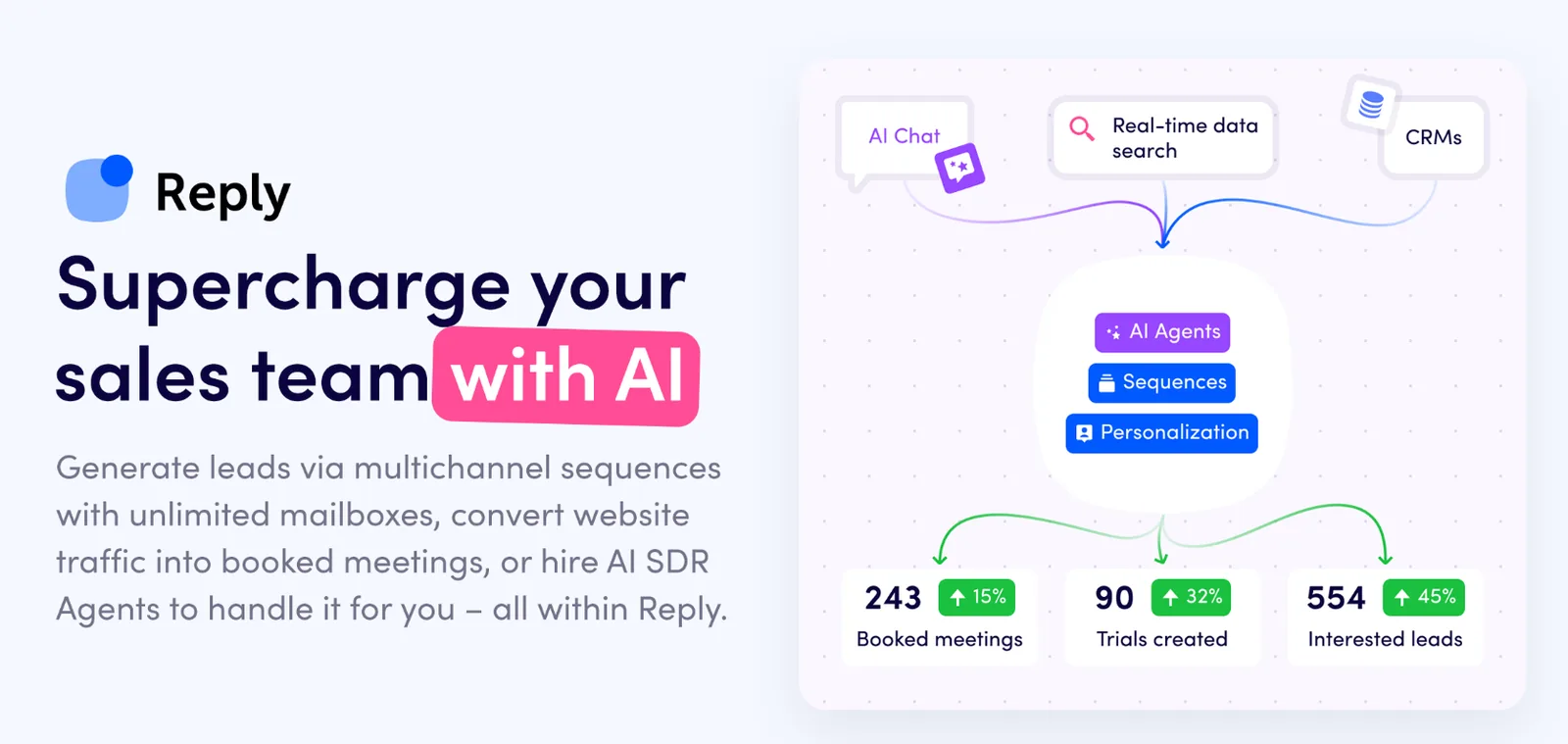
Reply.io pairs a multichannel sales engagement platform with Jason, its AI SDR. Jason builds sequences from your website or files, finds contacts each day, writes the messages and handles replies. Regular sequences can mix email, LinkedIn, calls, SMS and WhatsApp.
Reply.io’s LinkedIn support is broad. It offers nine automatic LinkedIn steps, from connection requests and InMail to post likes, skill endorsements and AI voice messages. Conditional steps can split contacts based on whether they accepted your invite.
Control works at the sequence level. Approval mode holds every email and LinkedIn message in a queue, where you can approve, edit, regenerate or skip it. Automatic mode sends without stopping. For replies, you choose per question type whether Jason answers, drafts or hands the thread to you.
Key Features
- Jason AI SDR: Researches each prospect’s recent news, LinkedIn activity and website before drafting.
- Approval mode: Holds AI-written messages on both channels for review, set sequence by sequence.
- Reply handlers: Decide whether Jason answers, drafts or stops for each kind of reply.
- LinkedIn step library: Covers connection requests, messages, InMail, profile views, likes, endorsements and voice notes.
- AI Learnings: Picks up your writing style from the edits and ratings you give its drafts.
Pricing
Plans listed on Reply.io’s pricing page:
- Email Volume: from $49/user/mo billed annually, with LinkedIn automation at $69/mo per account
- Multichannel: from $89/user/mo billed annually, or $99/user/mo billed monthly
- Jason AI SDR Starter: from $500/mo billed annually, with 1,000 active contacts and 2 LinkedIn accounts
- Jason AI SDR Growth: from $1,500/mo billed annually, with 5,000 active contacts
Rating
Pros
- You can keep a new sequence in approval mode and switch it to automatic once it performs.
- The LinkedIn step list is one of the widest here, including InMail for Sales Navigator users.
- Reply handlers give you finer control over how Jason responds than a single on/off switch.
Cons
- Jason sits on its own pricing track, apart from the outreach seats, so budgeting means comparing two sets of plans.
- Reply.io says its LinkedIn automation is only fully supported on English-language LinkedIn accounts.
- When Jason finds nothing relevant on a prospect, it falls back to a default template.
3. Amplemarket
Amplemarket is a sales platform that combines a B2B database, multichannel sequences and a parallel dialer. Its AI layer, Duo, combines CRM context, buying signals and public research to decide who your reps should contact and why.
Duo Copilot scans your market every day. It looks at job changes, funding, hiring, website activity, competitor reviews and even product usage if you connect it. Research agents then prepare a sequence for each lead it surfaces. Those leads land in a rep’s feed, where the rep accepts, edits or dismisses them.
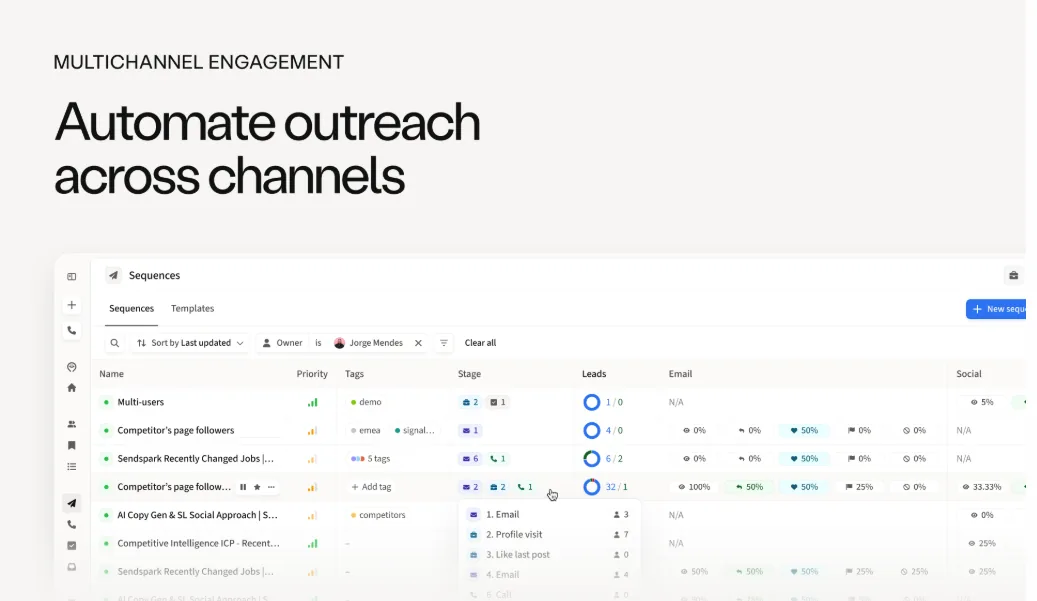
Sequences can mix email with LinkedIn visits, follows, connection requests, messages and voice notes. Branching currently works on LinkedIn connection status, so accepted invites can lead to a LinkedIn message while everyone else gets email. Admins can also put chosen signals on autopilot, which sequences matching leads without rep review.
Key Features
- Duo Copilot: Finds reasons to reach out from signals and prepares outreach for reps to review.
- Signal coverage: Tracks job changes, funding, hiring, website intent, closed-lost deals and third-party intent.
- Parallel dialer: Calls up to five lines at once, with transcripts and summaries.
- Contact data: Includes a 200M+ contact database, with 27,000 contacts on the Startup plan.
- Domain Health Center: Monitors mailbox and domain reputation alongside a warmup tool.
Pricing
Plans listed on Amplemarket’s pricing page:
- Startup: $600/mo with an annual term, including 2 users and 27,000 contacts
- Growth: custom pricing, with 4 users and 140,000 contacts
- Elite: custom pricing, with 10 users and 400,000 contacts
- All plans include a free trial
Rating
Pros
- Data, outreach and calling sit under one contract, so you need fewer separate vendors.
- Duo’s signal list goes beyond the usual, covering product usage and competitor reviews.
- Rep review is the default flow, and admins can automate only the signals they trust.
Cons
- The entry price is $600 a month, billed on an annual term, with no monthly option shown.
- Duo Voice starts on Growth and Duo Inbox is an Elite add-on, and both plans need a sales call.
- Branching only works on LinkedIn connection status for now.
4. Lemlist
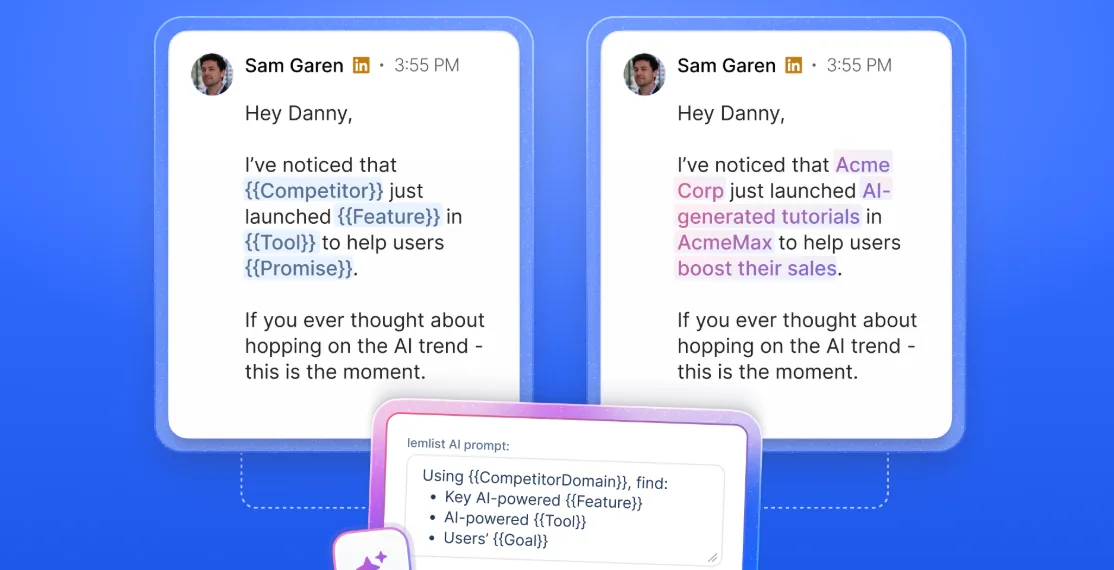
lemlist is a self-serve outbound platform. One campaign can combine email, LinkedIn, calls, SMS and WhatsApp. It’s one of the simplest tools here to start with, since you can see the prices and sign up without a sales call.
Its AI assistant, lemAgent, works through chat. Describe your goal, and it proposes a strategy covering objective, audience, angle and call to action. Once you approve that, it builds the sequence with steps, waits and branches across email and LinkedIn. lemlist says nothing launches without your approval.
LinkedIn steps include profile visits, invitations, messages, InMail for Premium senders and AI voice notes in a cloned version of your voice. Campaigns can branch on whether a prospect accepted your invite. Leads wait in a launch queue for manual review, unless you switch on auto-launch for that campaign.
Key Features
- lemAgent: Builds campaign strategy and sequences from a chat prompt, then waits for your sign-off.
- AI variables: Prompt-based columns pull from the web, LinkedIn profiles and your company context.
- Signal Agents: Track job changes, funding, hiring, tech changes and website visitors, billed in credits.
- AI voice notes: Send LinkedIn voice messages in your cloned voice, with a script you write.
- lemwarm: Warms up inboxes and protects deliverability on every plan.
Pricing
Plans listed on lemlist’s pricing page:
- Email: $55/mo billed yearly, or $69 monthly (no LinkedIn steps)
- Multichannel: $87/user/mo billed yearly, or $109 monthly
- Enterprise: custom pricing
- Add-ons: lead data enrichment from $16/mo and buying intent signals from $21/mo, billed yearly
Rating
Pros
- The pricing page lists every self-serve plan, and the free trial unlocks Multichannel features (except in-app calls) without a sales call.
- lemAgent drafts the strategy and the sequence, and both wait for your approval.
- The LinkedIn step list covers InMail, voice notes and invite-based branching.
Cons
- LinkedIn needs the Multichannel plan, which costs more than the Email plan’s entry price.
- Each seat connects only one LinkedIn account, so more senders mean more seats.
- Lead data and buying signals run on credits, so enrichment and signal tracking add to the base price.
5. La Growth Machine
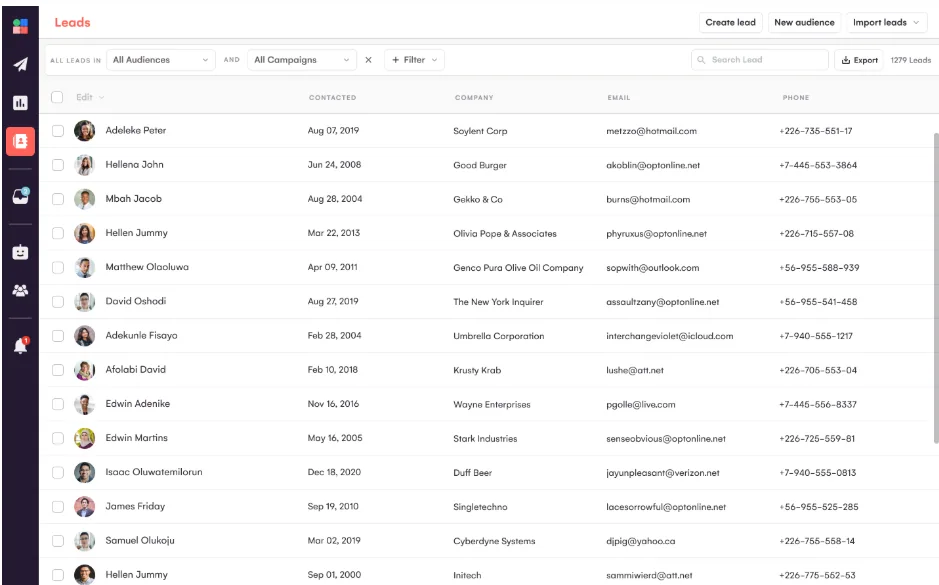
La Growth Machine (LGM) is a multichannel outreach tool built around LinkedIn. It runs LinkedIn, email, call tasks and X steps in one sequence from its own servers, so there’s no browser extension to keep open. Each LinkedIn account gets a dedicated mobile proxy.
Branching is LGM’s strongest suit. A lead’s path can change when an invite goes unaccepted for a set number of days. It can also react to email opens, clicks, bounces and whether a work email was found. It can even move leads with small LinkedIn networks straight to email.
For writing, LGM’s AI drafts emails, LinkedIn messages and invite notes in one of ten tones, and you can edit them before they go out. On Pro and above, its Reply Agent answers LinkedIn replies by itself. It hands interested leads and pricing or legal questions back to a person.
Key Features
- Conditional sequences: Branch on invite status, email engagement, bounces and data found.
- AI voice messages: One recording becomes a personal voice note for every lead, with an optional AI intro that says each lead’s name.
- Waterfall enrichment: Queries 9 email providers in turn and charges credits only when it finds data.
- Reply Agent (Beta): Handles LinkedIn replies on Pro and Ultimate and passes hot leads to your team.
- Multichannel inbox: Collects LinkedIn and email replies from every identity in one thread per lead.
Pricing
Plans listed on La Growth Machine’s pricing page:
- Basic: $58/identity/mo billed annually, or $69 monthly (up to 3 identities)
- Pro: $115/identity/mo billed annually, or $138 monthly
- Ultimate: $173/identity/mo billed annually, or $207 monthly
- Prices are also shown in euros, and every plan has a 14-day free trial with no credit card
Rating
Pros
- Its branching conditions are among the most flexible here, so each lead stays on the channel that’s responding.
- Billing counts sending identities, not seats, so teammates who build campaigns or handle replies join free (up to 3 on Basic and 25 on Pro).
- Campaigns run in the cloud with a dedicated proxy per LinkedIn account.
Cons
- Basic is limited to templates, and custom sequences start on Pro.
- HubSpot and Pipedrive sync is included only on Ultimate (a paid add-on below it), and Salesforce connects through Zapier.
- Reply Agent is still in beta and handles LinkedIn replies only.
Selection Criteria
How We Evaluated
We started with one rule: the platform had to run email and LinkedIn steps inside the same sequence. Tools that only add LinkedIn as a manual task didn’t make the cut. Then we compared the remaining options on five points.
- Shared sequence logic: Whether a reply or a failed step on one channel changes what happens on the other.
- Research before writing: What the platform knows about an account before it drafts the first line.
- Approval control: Whether you can review AI-written messages and set that choice per sequence or play.
- LinkedIn coverage: Which LinkedIn steps it supports and how it protects your account.
- Pricing clarity: Whether prices are public, what the entry plan leaves out and how costs grow.
How to Choose
Start with the job you need done. If your messages need to show you know the account, Swan is the pick. Every draft comes from a research brief, and each play gets its own approval setting.
Reply.io is a strong pick for an AI SDR with a wide LinkedIn step list. Its approval mode gives you a clear switch for each sequence. Amplemarket belongs on the shortlist when you also need contact data and calling, as long as the annual commitment fits.
Smaller teams that want to start today will find lemlist simple to buy. La Growth Machine suits LinkedIn-first teams that enjoy designing their own branches, since it offers a long list of conditions.
Start with one play you already run by hand
Running email and LinkedIn in separate tools costs you more than time. It costs you the moments when a prospect is ready to talk and your other channel doesn’t know it. Every platform on this list fixes that with a shared sequence.
The bigger difference is what happens before the first message. Swan prepares a brief for every account and writes from it, and you choose per play how much review each sequence gets. Start with one play your team already runs by hand, such as event follow-up, and compare the replies.
Want email and LinkedIn messages written from real account research?
Start the free trial and launch your first play.
FAQs
Do AI SDRs actually work?
They do when the drafts come from solid research and someone on your team sets the strategy. They fail when they send generic copy to a huge list, because buyers spot it in seconds. Pick a single, tightly scoped play and check each draft until the replies prove it’s working. We cover this in more depth in the rise and fall of AI SDRs.
Is cold email still effective in 2026?
It still works, though reaching the inbox takes more care now. Google’s sender guidelines ask senders to keep spam rates under 0.10% and never reach 0.30%. Anyone sending 5,000 or more messages a day to Gmail also needs SPF, DKIM and DMARC. Smaller, researched sends tend to land better, and LinkedIn adds a second route.
Is cold emailing illegal?
No. In the US it’s legal when you comply with the CAN-SPAM Act. According to the FTC’s compliance guide, the law covers business-to-business email too. Your headers and subject lines must be accurate, and each email needs a valid postal address. Opt-out requests must be honored within 10 business days. Europe and the UK set tighter rules, so review them before you email prospects there.
How do you write a LinkedIn outreach message?
Aim for two or three short sentences. Lead with a detail that only fits this person, like a recent post, a mutual connection or company news. Leave the pitch out of the connection request. Once they accept, ask for one small thing, like a short call or a reply with their view.