

Today we are rolling out one of the biggest upgrades to how Swan works, and the one we have been most excited about in a long time.
Good go-to-market work is trial and error. You try an audience, a signal or a message, you see what gets replies, and you change what does not. The teams that win keep that loop going, week after week.
Our best builders use Swan exactly like that, and it gets great results for their teams. But the loop takes time that most teams do not have. Now Swan does that work for everyone.
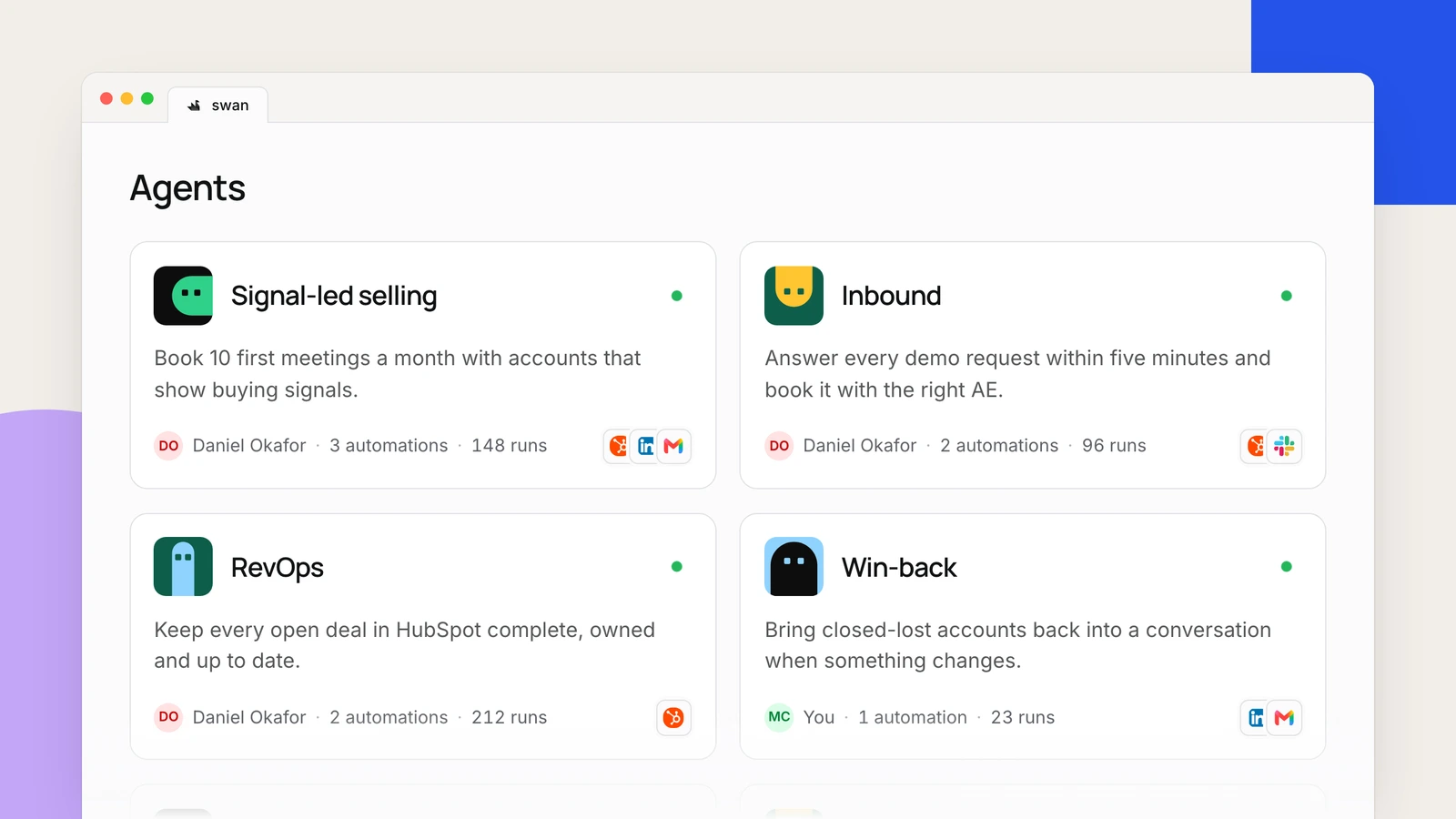
Starting today, Swan manages your go-to-market work with agents. An agent is an expert for one part of your go-to-market, with one goal, for example “book more first meetings with accounts that show buying signals”.
You set the goal, and the agent goes after it. You stop babysitting automations and start managing results.
Agents learn and check their own work
They remember. Like a good teammate, each agent keeps notes. It writes down ideas it wants to test, such as “VPs in their first month reply more often”, and updates them as results come in. It also remembers your team’s decisions, such as “no outreach to agencies”. So it never starts from zero.
They review. Every few days, each agent looks back and asks: am I closer to the goal? It does more of what works, changes or stops what does not, and suggests tests for new ideas, such as a shorter first email.
Swan works your accounts, not only tells you about them
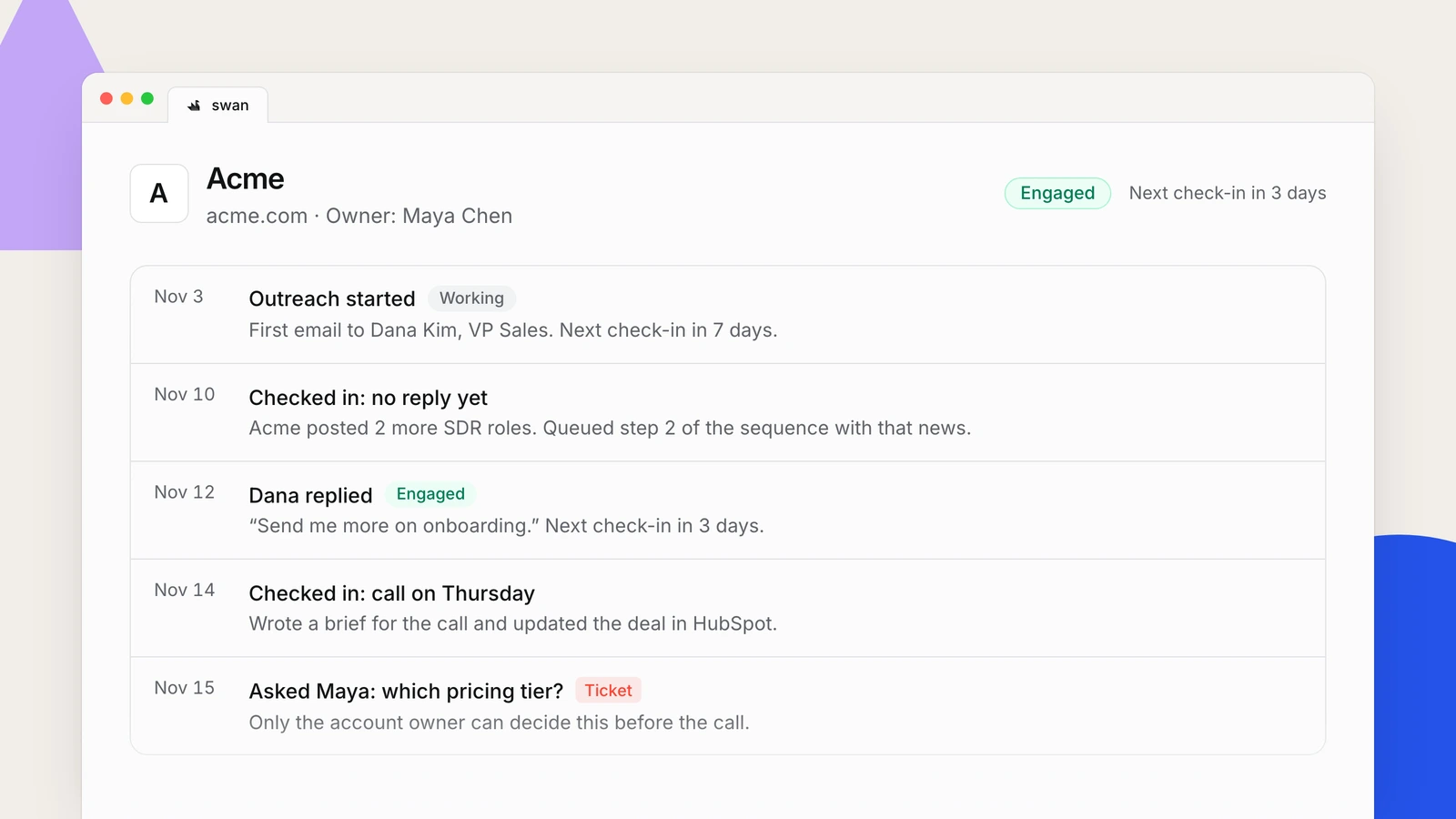
Swan follows the accounts that are in play. While it works an account, it comes back about once a week. When the account engages or replies, it comes back every few days. Each time, it does the next step: new research, a brief before a call, a CRM update, or the next step of a sequence, with your usual approvals. When only a person can act, it sends a ticket to the account owner.
You stay in control
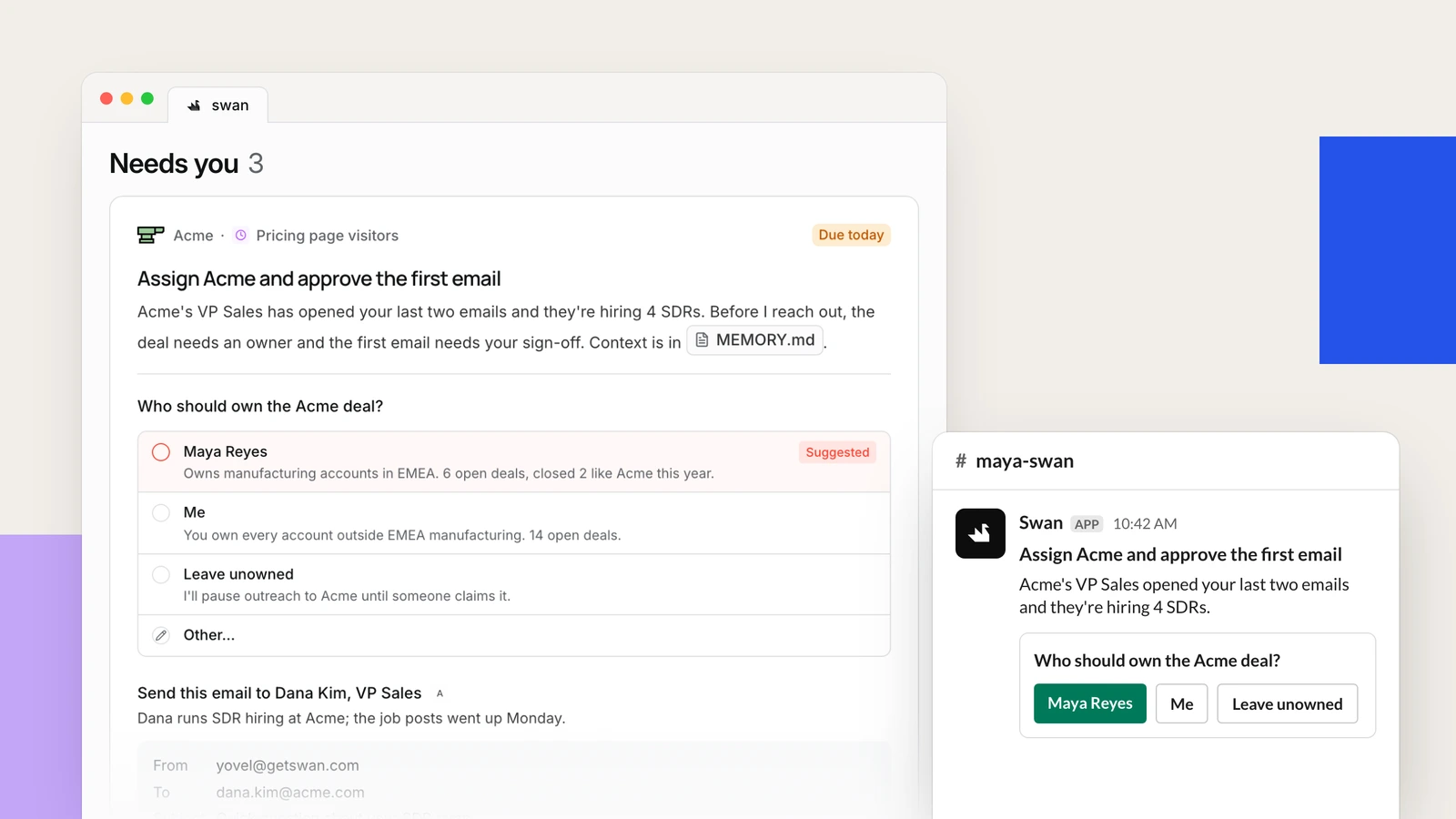
You set the goal, and an agent never changes it. It makes small fixes on its own and tells you about them in your daily update. You can undo any change. For a bigger change, such as new outreach or more credits, it asks you first with a ticket. Tickets arrive in the Desk and in your own Swan channel in Slack.
What changes for you
Your automations are now in agents. Swan put each automation into an agent for its kind of work, such as Signal-led selling, Inbound or RevOps, and wrote a goal for each agent. What to do: ask Swan to walk you through your agents and their goals. The goal decides what an agent works on, so if one is off, tell Swan and it changes it with you.
Some automations can now use more integrations. An agent holds the integrations of all its automations. What to do: Admins, check migration/MIGRATION.md in your Brain and remove the integrations an agent does not need.
Just talk to Swan
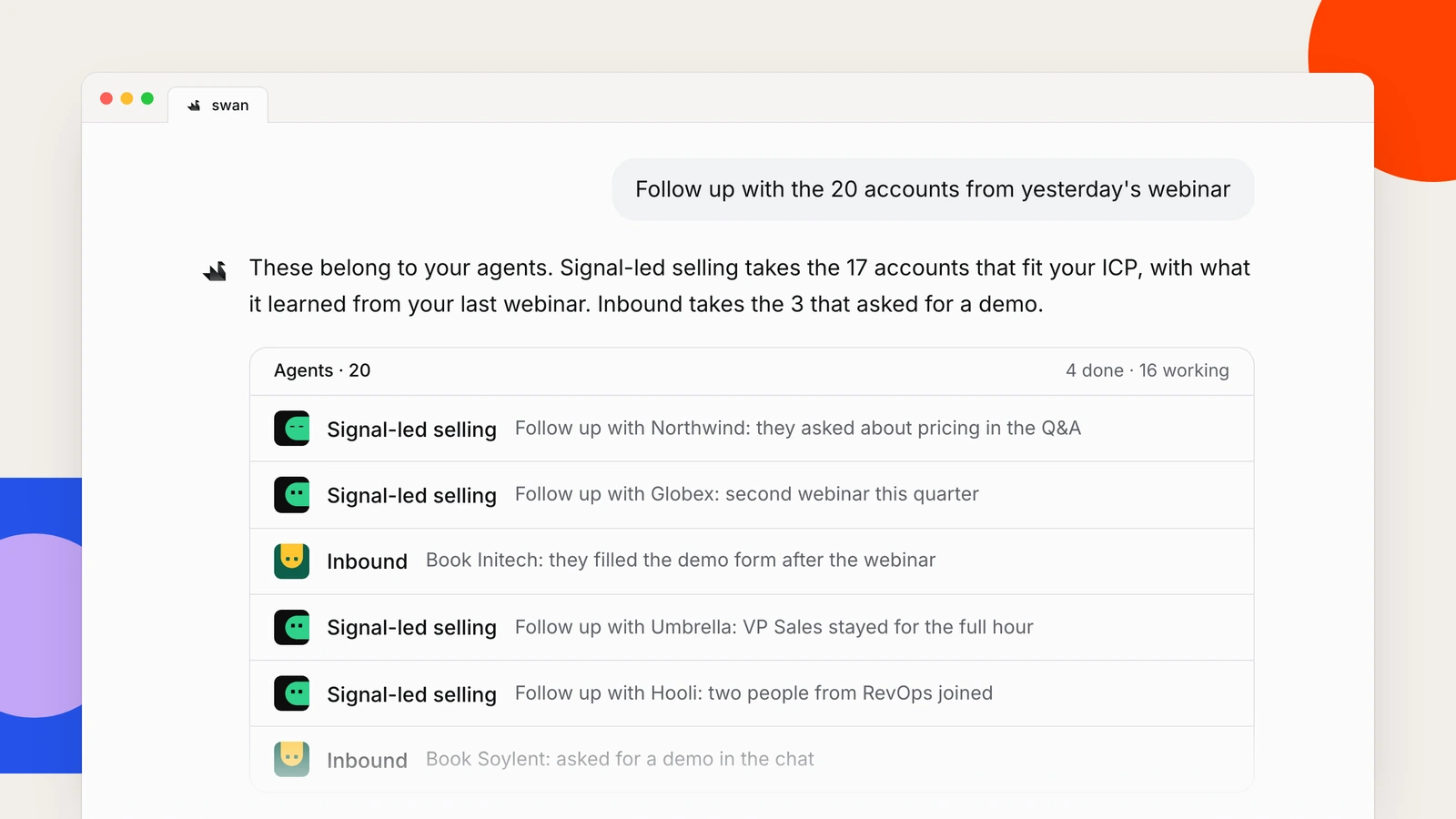
You do not have to open an agent to use it. Ask Swan, for example “follow up with the 20 accounts from yesterday’s webinar”, and Swan gives the work to your outbound agent, which already knows what worked with similar accounts. To make a new agent, tell Swan the result you want.
Where this goes
We think this is how go-to-market work should run: you decide what matters, and your agents keep pushing toward it. Ask Swan about your agents, and tell us what you think. We read every message.
Everything in this release
Agents
- Team agents that everyone can see, and personal agents that only their owner can see.
- An agent page with a scorecard: progress toward the goal, the latest review, and what each automation did since.
- A memory tab, where you read what the agent keeps in its notes.
- Pick the skills an agent uses first. All other skills stay available.
- Integrations belong to the agent. Swan warns you when an automation needs an integration that its agent does not have.
- Ask Swan to move an automation to another agent, or to move an agent from personal to team.
- Delete an agent together with its automations, memory and reminders. The confirmation shows how many automations go with it.
- Reminders: one-time follow-ups that an agent sets for later and runs when they are due.
- Agent notes show up in Brain search.
Tickets
- Every workspace now gets tickets in the Desk.
- A ticket asks you to approve something, choose an option, answer a question or do a task.
- Approve or reject each item in a ticket on its own, and edit an email before you approve it, in Swan or in Slack.
- Snooze a ticket until a time you choose.
- Sort the Desk by newest or by due date, and search all open tickets.
- A ticket is due in 3 days and expires 1 day later.
- Your own Swan channel in Slack, where you answer with the buttons or in the thread.
- Tell Swan what should reach you and where, for example “only send me approvals”.
- Your other AI agents can read and answer your tickets through Swan’s MCP server.
Outreach
- Replies go back to the person who started the outreach.
- Each sender chooses whether Swan handles their replies.