

Big release, with one theme: Swan doing more of the work itself. The email and LinkedIn you connected for outreach? Swan can now read and act on them directly. It responds the moment a reply lands, and it connects to the other AI agents you already use.
Introducing the Swan MCP
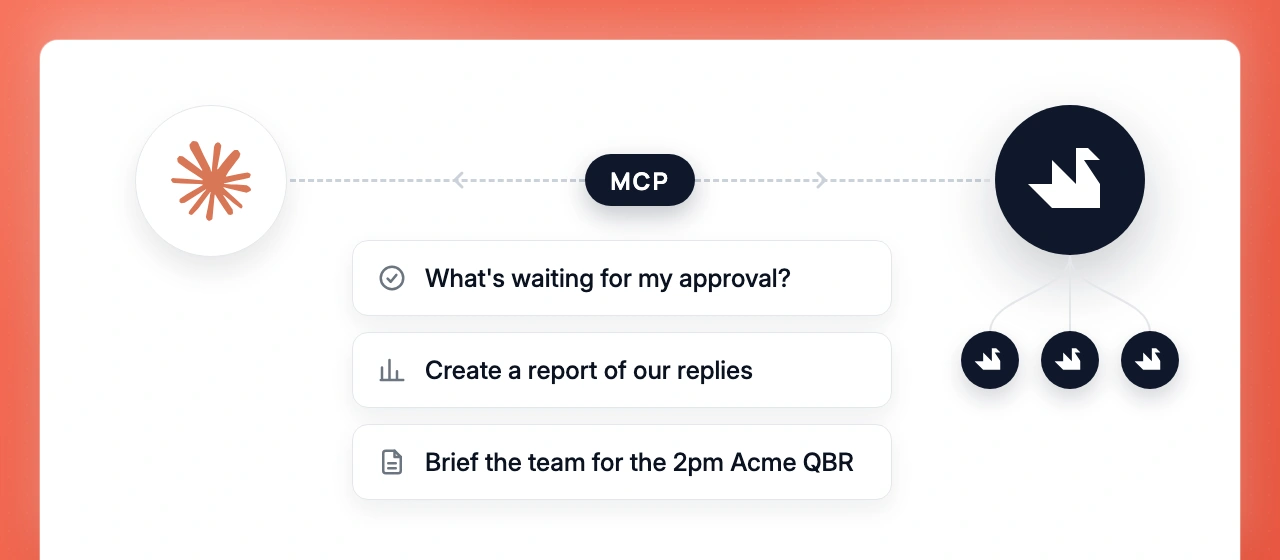
Swan now runs as an MCP server, so the agents you already use — Claude, Codex, Openclaw, and others — can ask it to research accounts, draft outreach, or update your CRM. We’ve been using it to ask Swan questions from inside Claude while working on something else, no tab switching. And if you manage several Swan accounts, say for your customers, you can connect them all to one agent and work across them from a single chat.
Connect your agent to the Swan MCP →
Swan can now work your inbox
Your email has been connected since you set up sequences — now Swan can use it directly, with nothing new to set up. Ask it to find a thread, triage your inbox, or send a one-off email without building a sequence, right from chat or Slack. Our setup is a daily morning brief: every morning Swan goes through new email, archives what doesn’t need attention, flags what does, and drops a briefing in Slack — with drafts ready for everything that needs a real answer. (Built on the inbox-zero skill.)
Ask Swan to check your email →

Swan can now read your LinkedIn DMs — and your Sales Nav lists
Your LinkedIn has been connected for outreach all along — now Swan can use it, with nothing new to connect. It can read your LinkedIn conversations, so it knows your history with a contact before you reach out. And if you have Sales Navigator, Swan can pull your Sales Nav lists to research, enrich, or sequence — all from chat or an automation.
Explore your LinkedIn with Swan →

When someone replies, Swan is already on it
The new reply-received trigger fires the moment someone responds to a sequence you sent with Swan — email or LinkedIn. Pair it with a skill and Swan can draft the response, respond autonomously in situations you define, notify a specific Slack channel, update the CRM, and more. (Batched per thread, so a burst of replies doesn’t spawn a run for each.) This is the shift from Swan running on a schedule to Swan running on events.
Set up your reply received trigger →
The chat now goes with you
A Swan chat panel that follows you across the whole app. Open it on the accounts page, on a skill, on a trigger — the same conversation travels with you, so you can ask about what you’re looking at without losing the thread. Chat itself got a lot of love along the way: attachments now take Excel, JSON, plain text, and Markdown (previously just CSV and PDF), streaming is smoother, long conversations get a table of contents, and a pile of stability work landed — messages stay put when you stop a response, and history loads in order.
Website tracking can now use your own visitor IDs
If you already identify users or visitors in your product, you can pass that same identifier into Swan’s Website Tracking Script. Swan will store it with the visitor session and use it on later tracking events, so the visitor activity Swan sees can map back to your own user, lead, or customer record.
To implement it, append eId to the tracking script URL with your identifier. For example:
<script src="https://YOUR_SWAN_TRACKING_DOMAIN/scripts?pk=YOUR_PUBLIC_KEY&eId=YOUR_VISITOR_ID"></script>If your visitor ID is dynamic, render that value server-side or through your tag manager when the script loads. URL-encode the value before adding it to the script URL.
Improvements
- You can now see your billing and invoice history
- ⌘K command palette — actions, search, and a keyboard-shortcuts cheat sheet
- You can now see every version of a memory, with diffs
- Desk now preserves execution scope more clearly, with a scope banner and fuller feed cards for richer run context
- Settings now use a drill-in sidebar, so nested settings pages stay easier to navigate without losing your place
- After you connect an account, Swan now refreshes the available tools for that integration automatically. If a tool needs reconnecting, the reconnect action appears inline.
- The “Get help” widget now shows your upcoming office-hours sessions from the Swan Luma calendar
- Website tracking can now use your own visitor IDs
- New filters in the built-in company and contact search tools: state, city, and tenure for contacts, plus Google category for companies
- Onboarding now hands off directly into chat
- Swan can now browse Slack history, search channels, edit messages, and add reactions more easily
- Swan can now delegate research and other focused tasks to general-purpose sub-agents, without requiring a company domain. You’ll see a compact task list and completion notifications as those tasks finish.
Fixes
- We solved an issue where, in some cases, email replies could fail because of an unusual or invalid subject line
- We solved an issue where an email reply could get the wrong subject when Swan had to fall back to starting a new thread
- We solved an issue where sending an email draft could fail if the chat was still streaming
- We solved an issue where some scheduled triggers could run at the wrong time, and where certain weekly schedule settings could be parsed incorrectly
- We solved an issue where some HubSpot searches could fail on certain properties
- We solved an issue where enrichment could fail under provider rate limits; Swan now retries and slows down automatically in those cases
- We solved an issue where view-only members could count against your seat limit
- We solved an issue where stopping a chat response could clear messages Swan had already sent
- We solved an issue where earlier chat history could appear out of order when loading older messages
- We solved an issue where longer LinkedIn connection notes could fail to send
- We solved an issue where company search could fail with certain company-size or location filters
- …and a dozen smaller fixes across chat, Slack notifications, and the editor